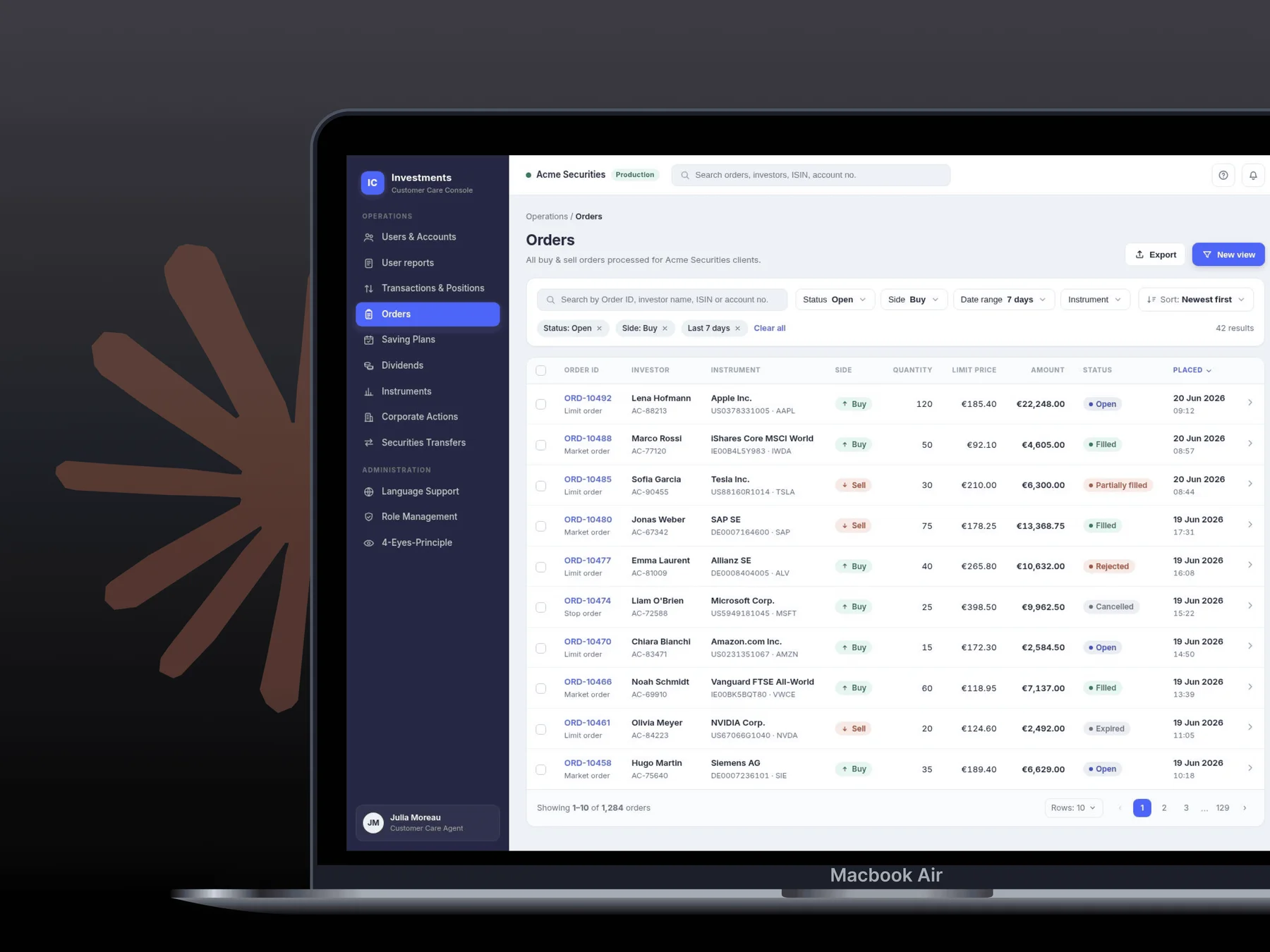
Laying foundations for Upfront: Upvest's external dashboard


Creating an MVP with initial wireframes & interfaces for a client-facing dashboard to monitor user investments
Back-Office DashboardNavigation designUI componentsWeb (Desktop)
Team
ESP Team
1 PM + 1 Designer
Role
Designer (Solo)Status
LiveShipped in
2025Overview
Upvest is an investment API infrastructure used by big FinTech names like Revolut, N26, SumUp, Shares, Bunq, Ginmon, Liqid, and the list only keeps growing.
The internal back-office of Upvest is an all-encompassing dashboard used by the Ops team to process investment entities flowing into Upvest.
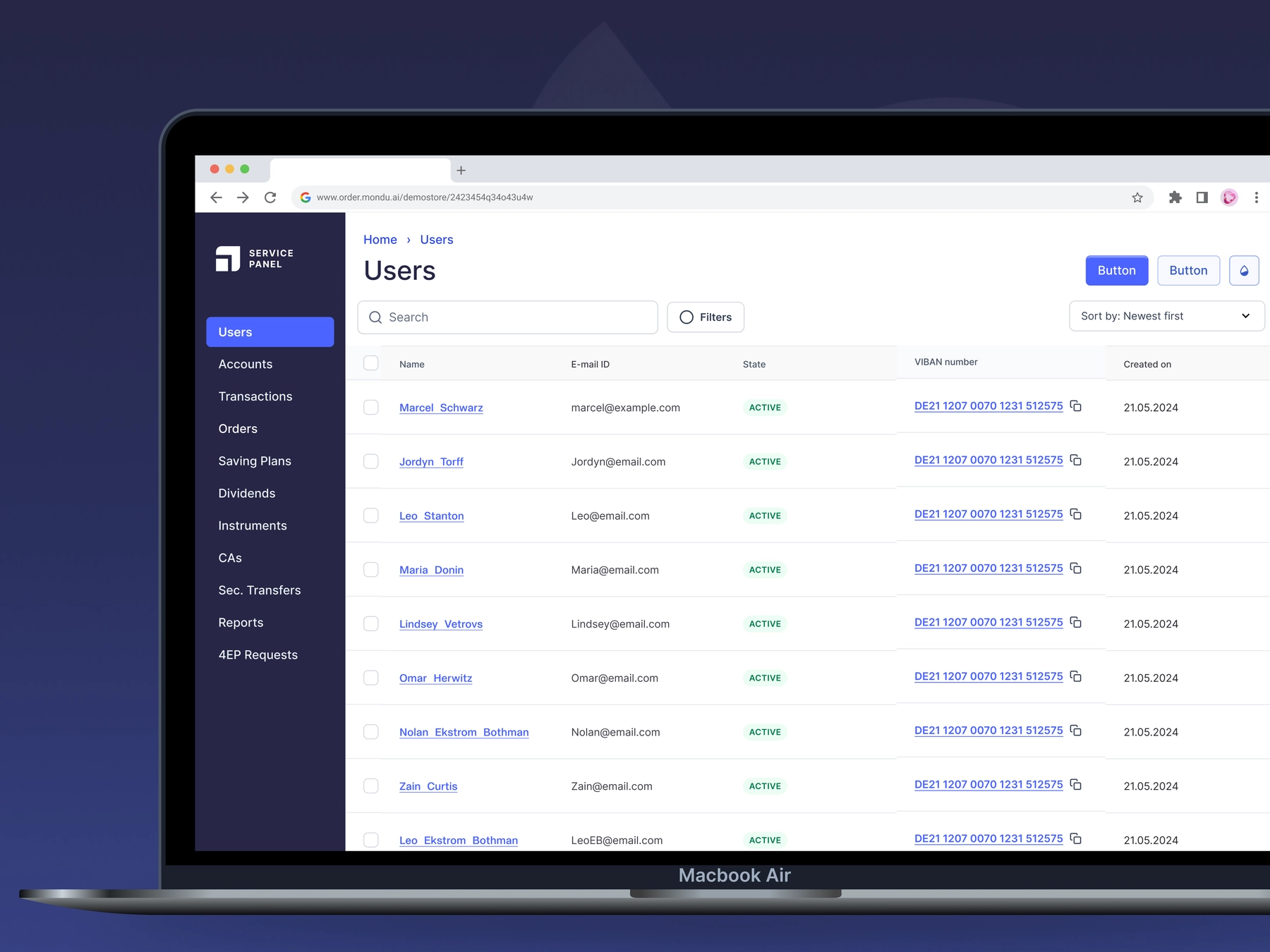
The external dashboard aka External Service Panel (ESP) aka UpFront, was built for the customers of Upvest. To manage and monitor the data being processed by the Upvest Investment API.

Situation
The took shape in Q4 2024 as an initiative, and a new team was formed at the start of 2025. This was when the the developers were being hired and the product team and I, started working on the ESP, by collecting answers to these important questions:
- What's the vision of this dashboard?
- How will it be structured?
- What modules to prioritize?
- What will the modules contain?
- How to make it functional for its users?
Product Exploration
Vision
The main aim of this dashboard was to allow the client customer support teams to access and act on their information.
Navigation
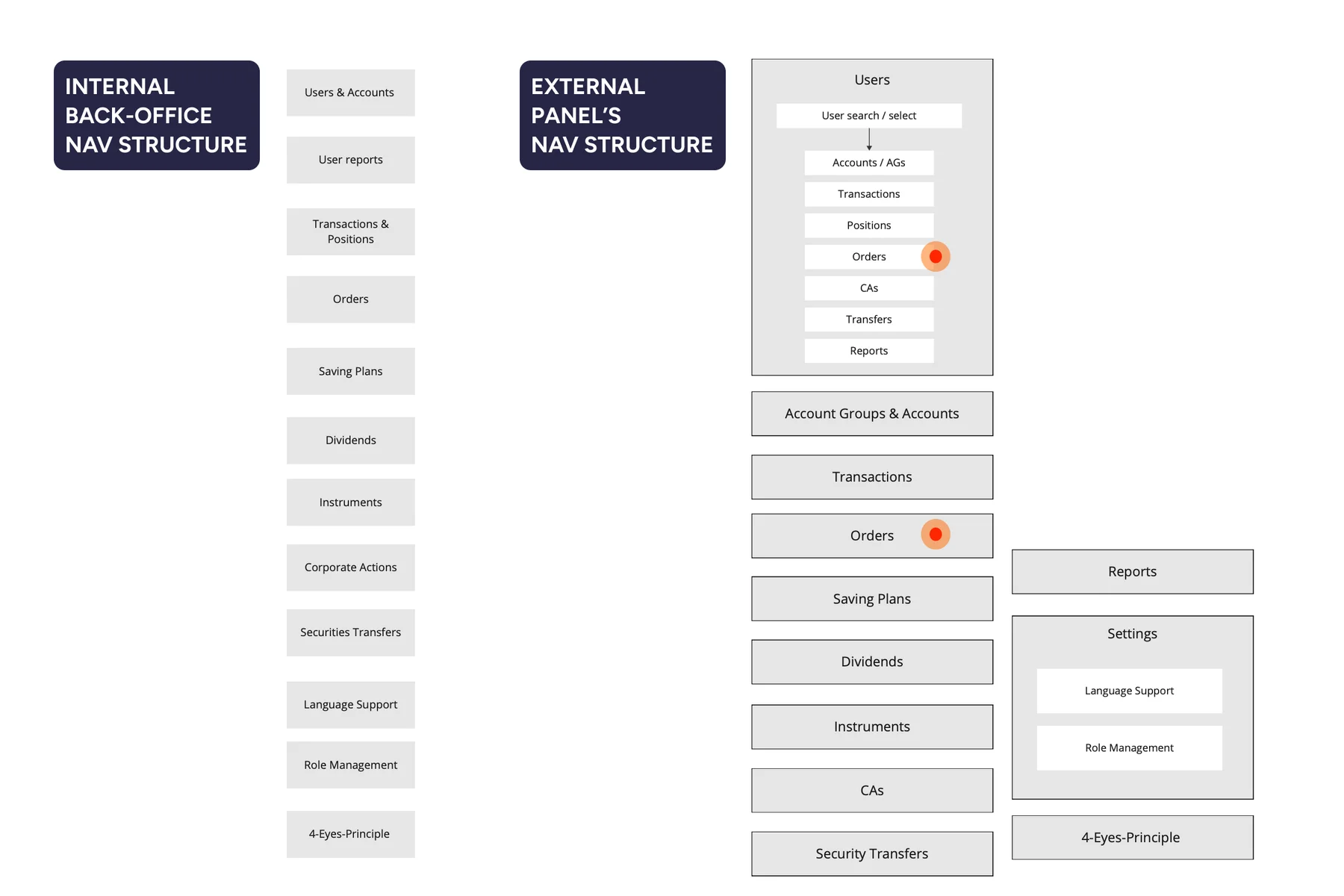
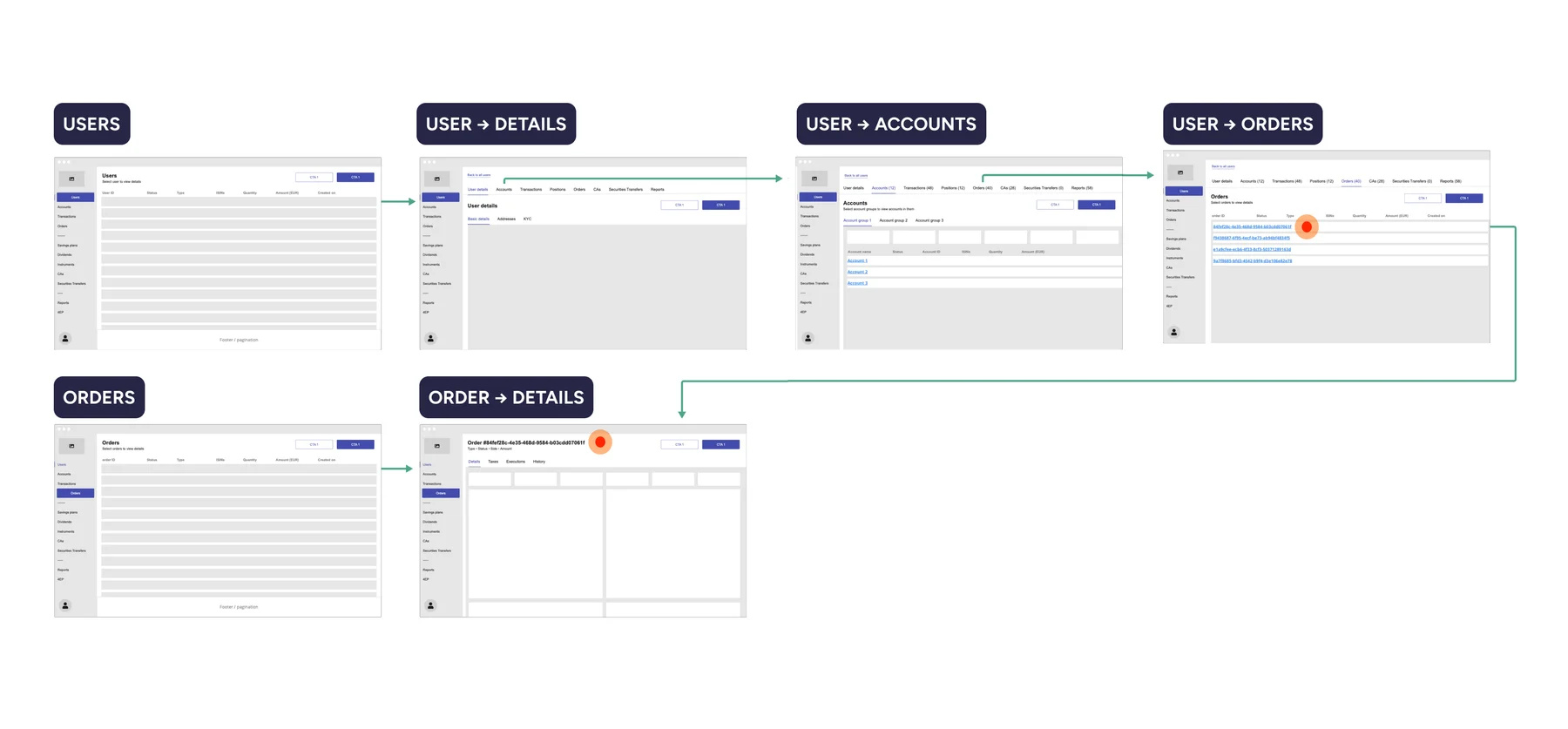
With entities inspired from the internal back-office, this was a sort of a card sorting exercise I did to construct the main user navigation of the ESP. The B2C nav on the external dashboard works in 2 ways:
- Entities connected to a user (User → All Orders → Order Details)
- Stand-alone entities (Orders → Order Details)
Primary navigation
Because Upvest's clients are directly connected to their users (B2C), it is important for them to initiate their lookups with a User Search. So arriving at a user's orders can be done in 2 ways:
- Go to Users → Search for user → Go to user's orders → Search for order ID = Reach order
- Go to Orders → Search for user / order ID = Reach order

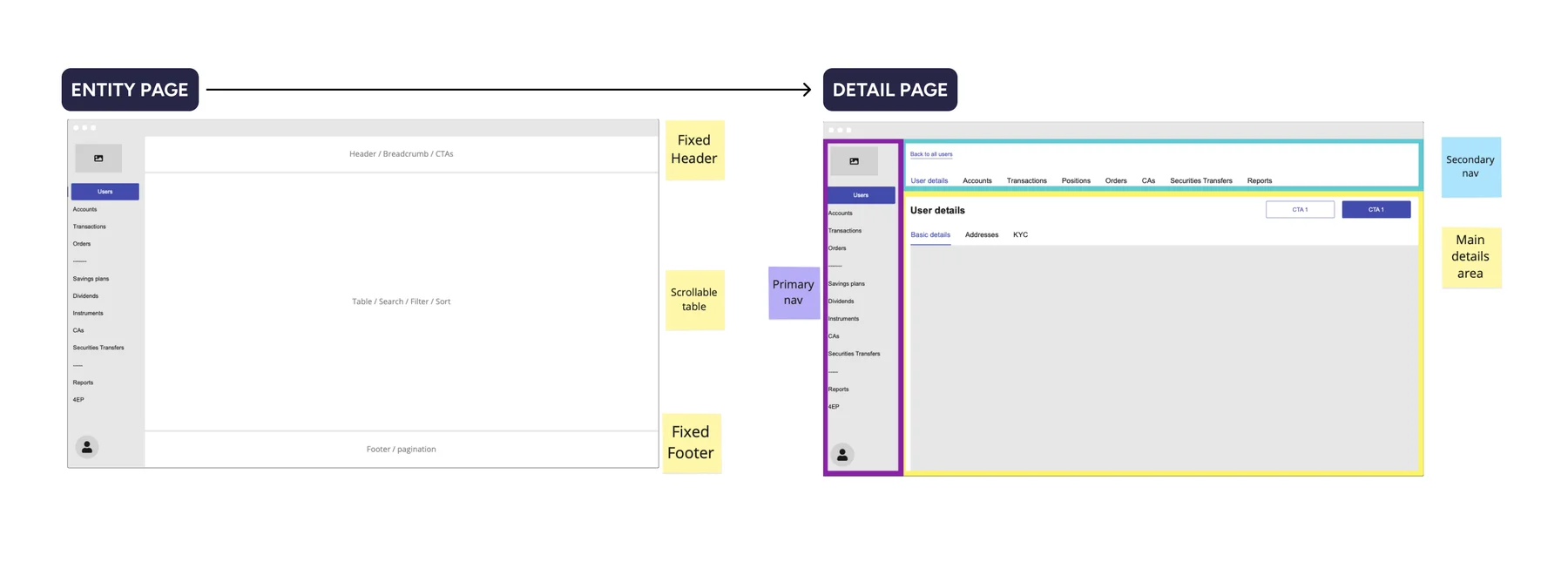
Secondary & Tertiary navigation
Setting a foundation to the page layouts and navigation structures introduces discipline in the design. Albeit only for product+design, it visualizes how content will be structured in this client-facing dashboard with the secondary and tertiary navigation in the main details/content area.

Deep-Linking
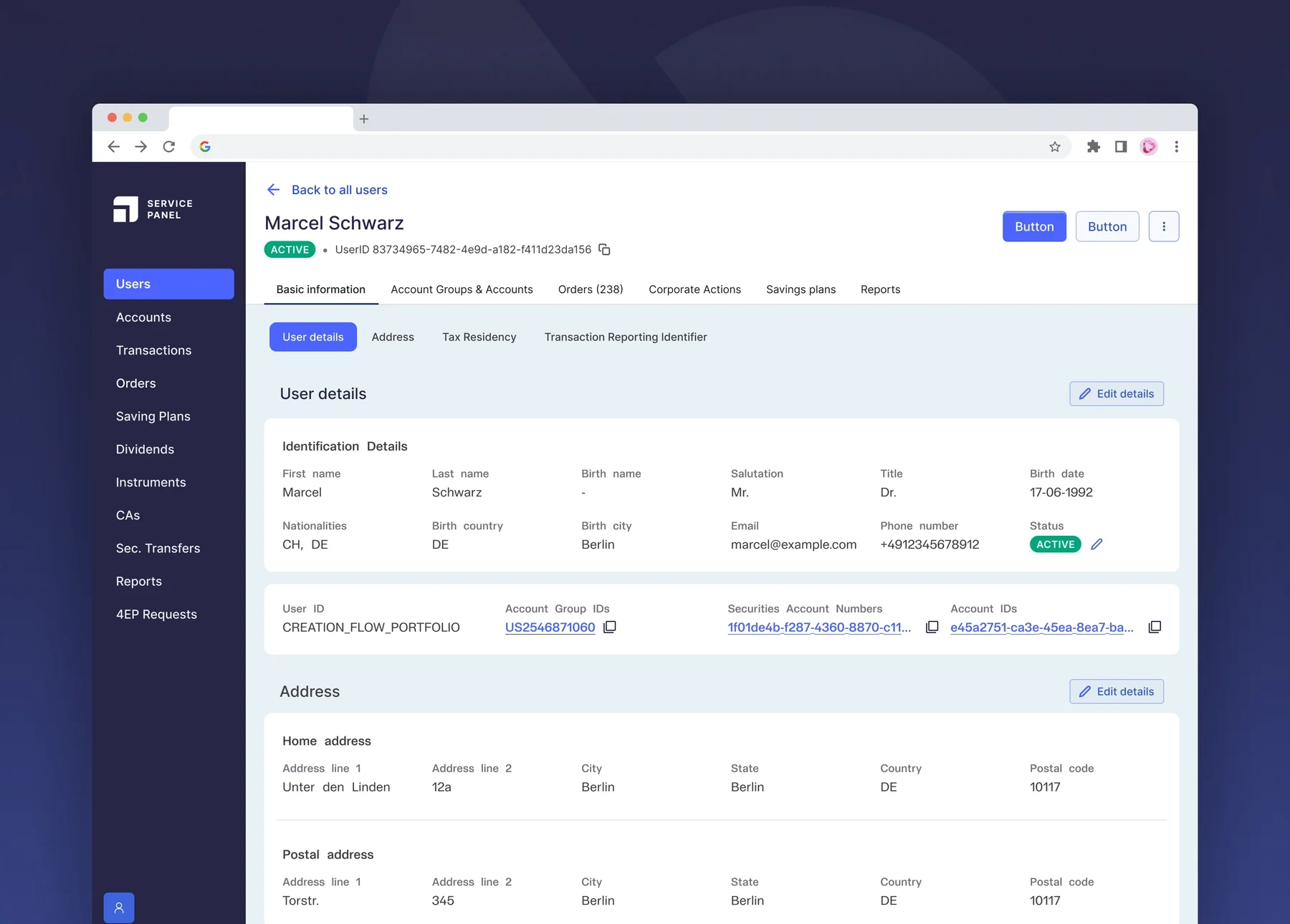
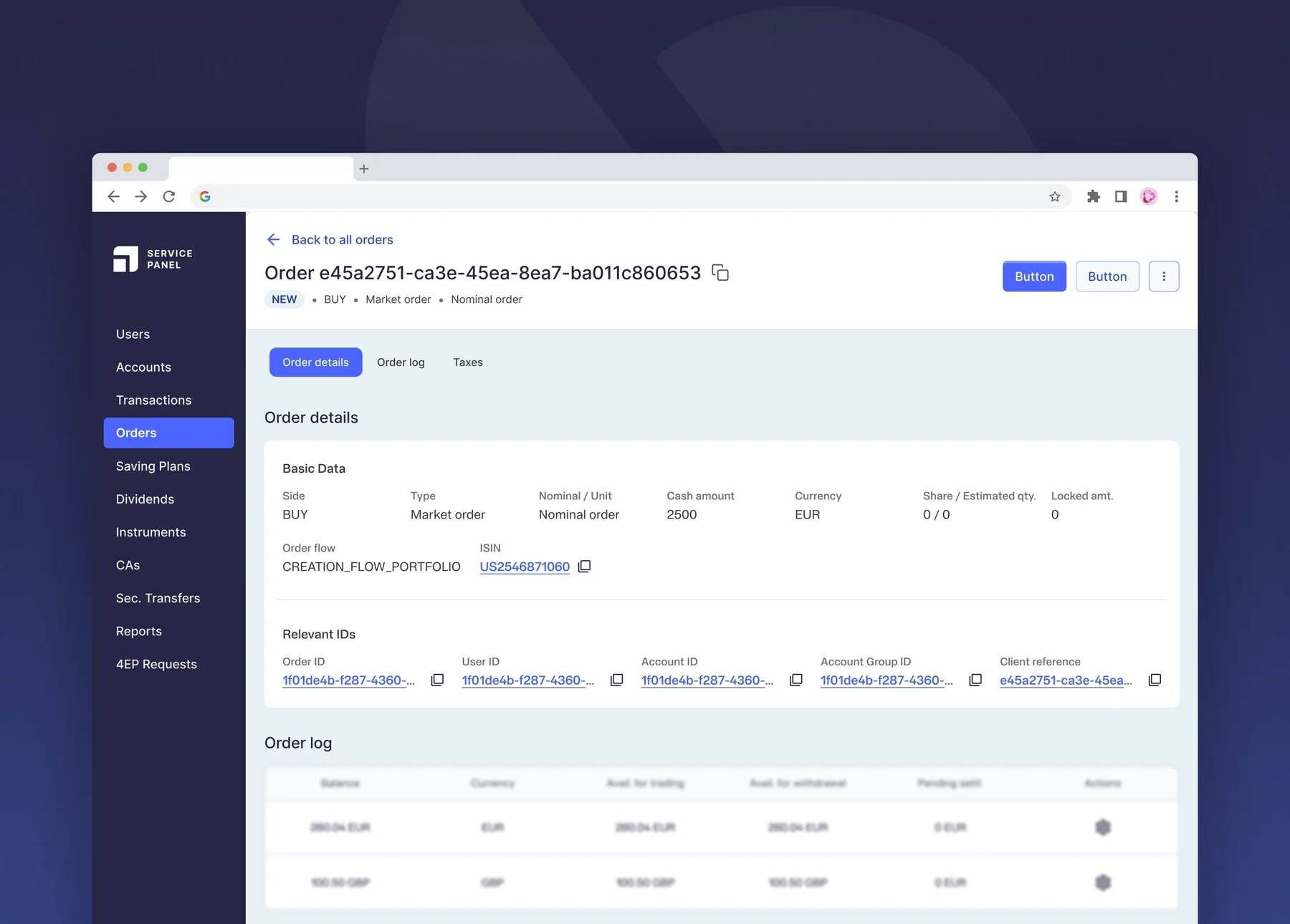
For a B2B dashboard it is important for the information on any page to be interlinked with its details page. For instance, Order IDs inside User Details should be linked directly to its Order Details page, as shown below.

Search, Filter and Sort
For any dashboard or table-heavy interface that deals with a lot of data, the user automatically expects to have a good searching and filtering logic, to shortlist information. And it was important to include it as early in the MVP as possible. And leading the product design of the ESP also meant that I keep bringing it up.
These functionalities were especially key because the internal back-office dashboard wasn't built with search, filter or sort, and introducing anything now was difficult because changing the rigid system was impossible. And the ESP also uses the data from Upvest's Investment API Services, similar to the internal back-office.
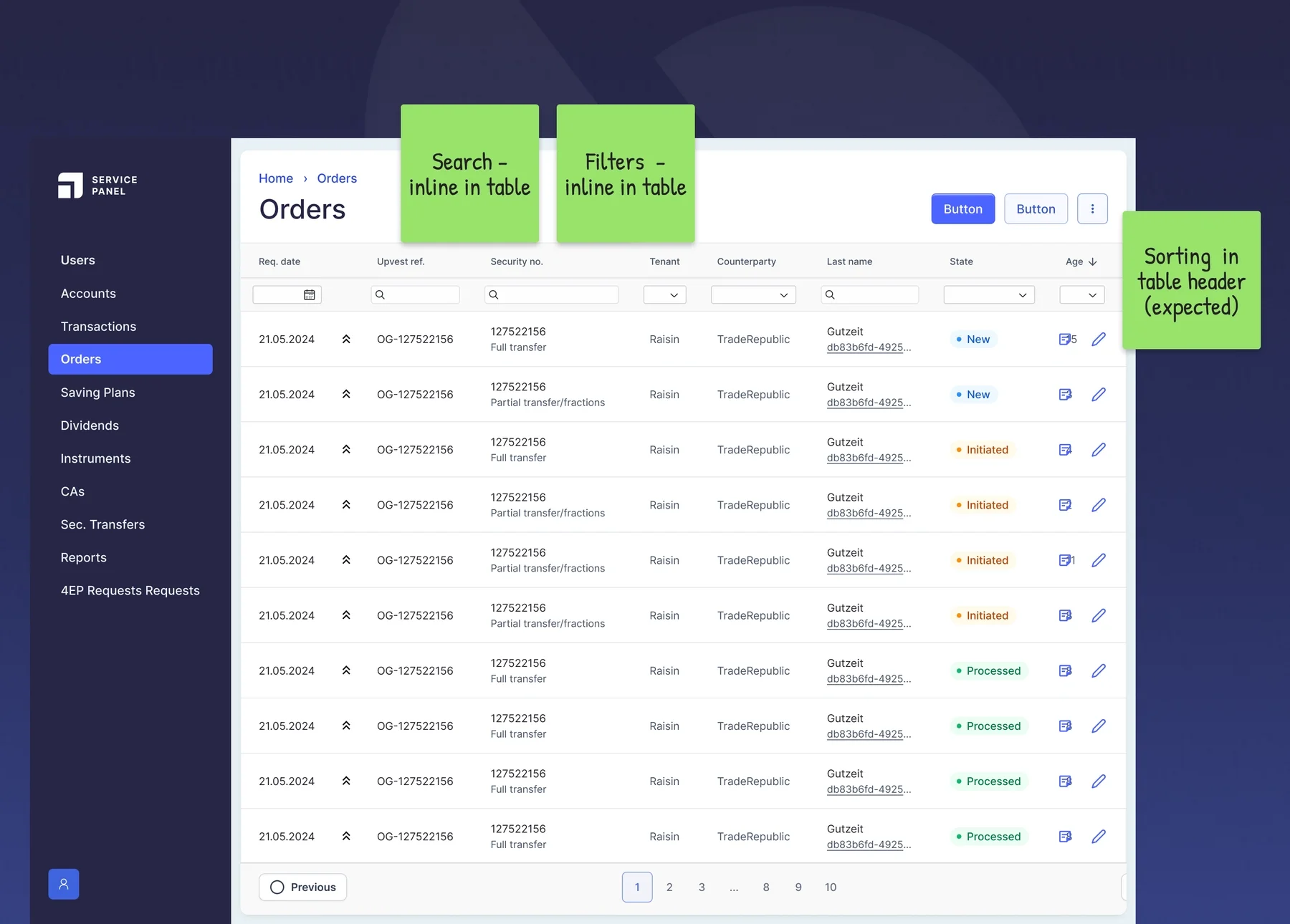
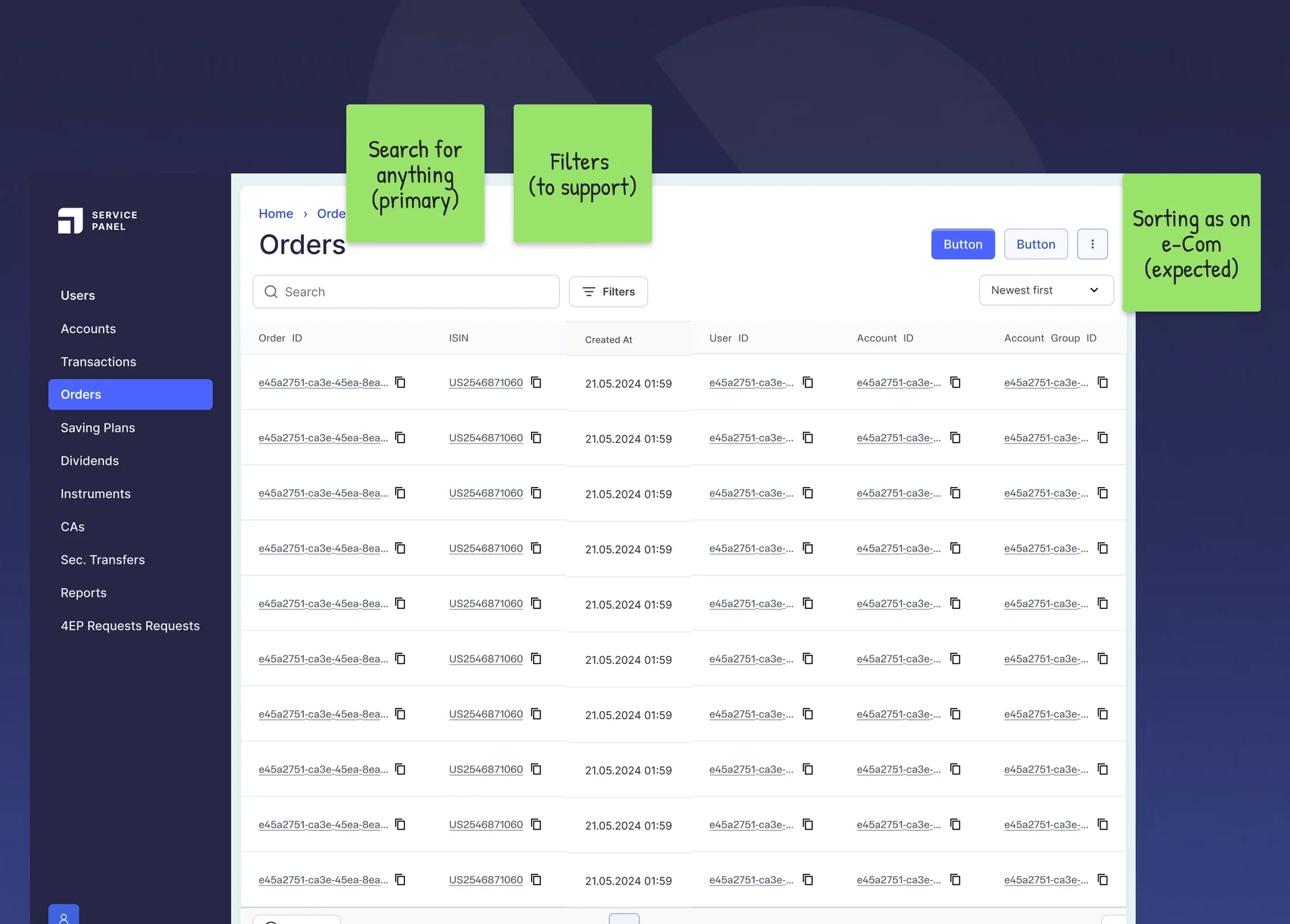
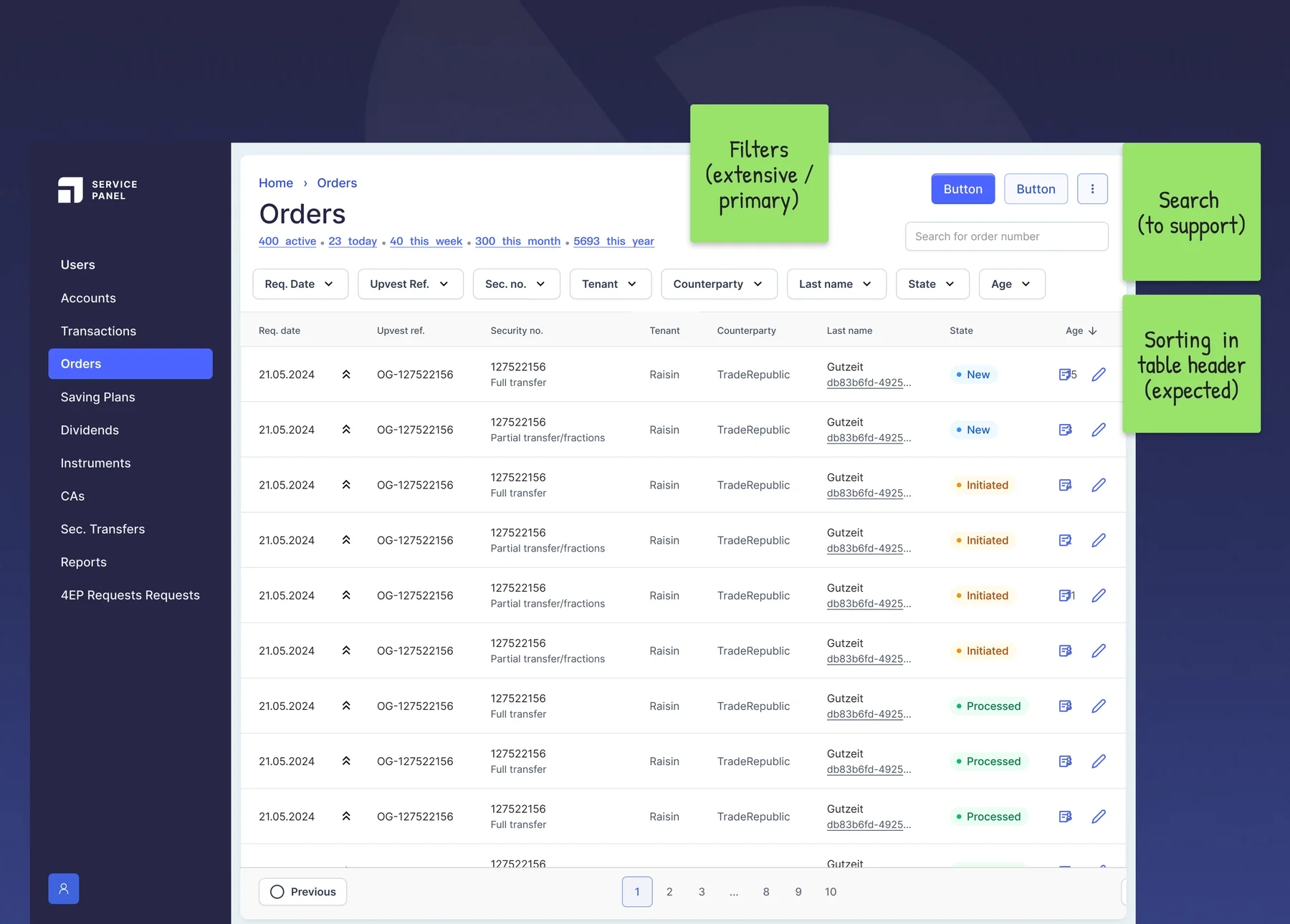
To help the development team with some options, based on mental models, I suggested a few user-friendly search, filter & sorting functions which can selected based on what's possible.
Search, Filter and Sort inside the table

Search-heavy: Search for anything

Filter-heavy: All table columns are filter-able

Sorting
Inside the table on the table header or outside the table, as a dropdown.
This can be seen in the last 2 options above.
Designs
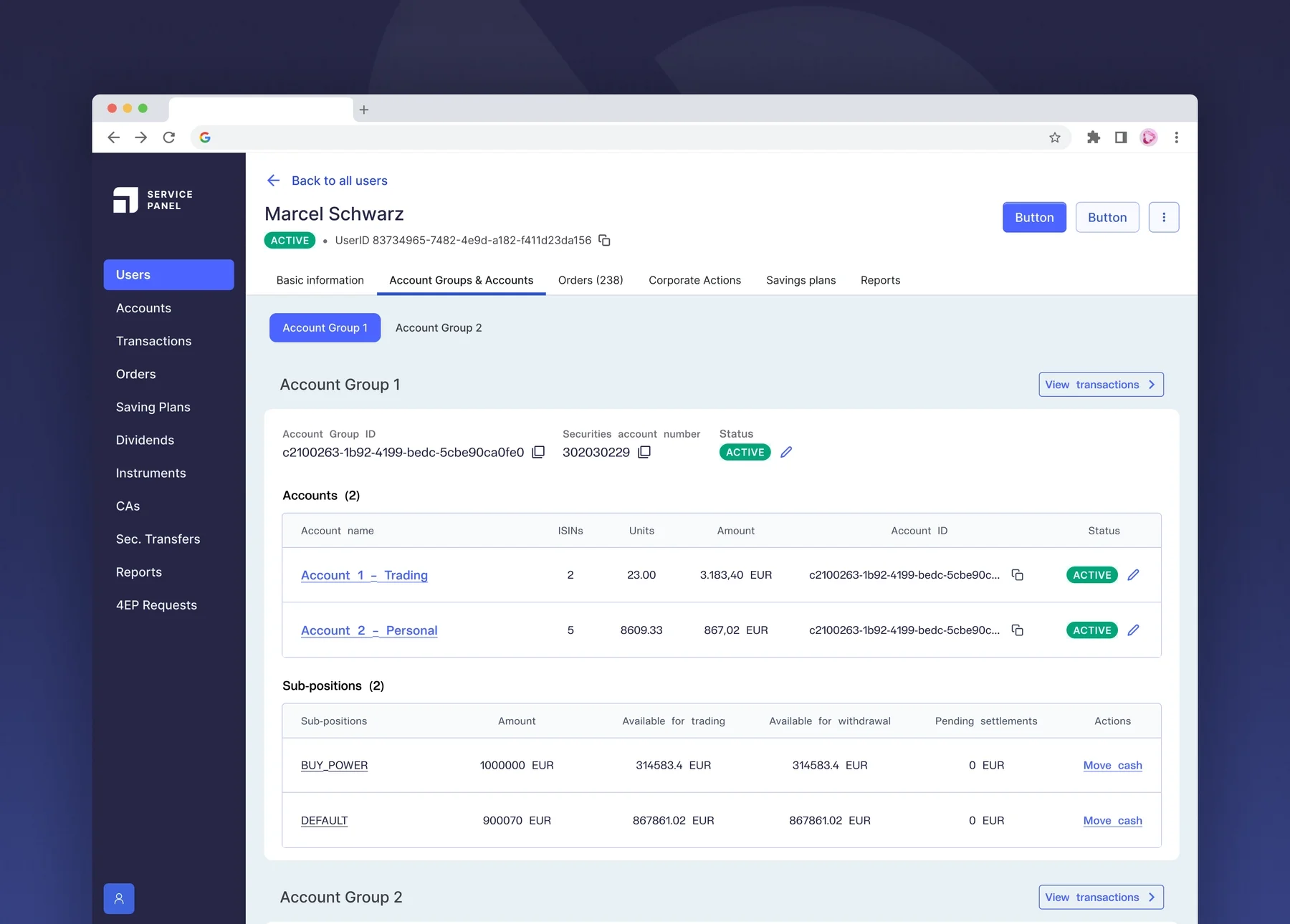
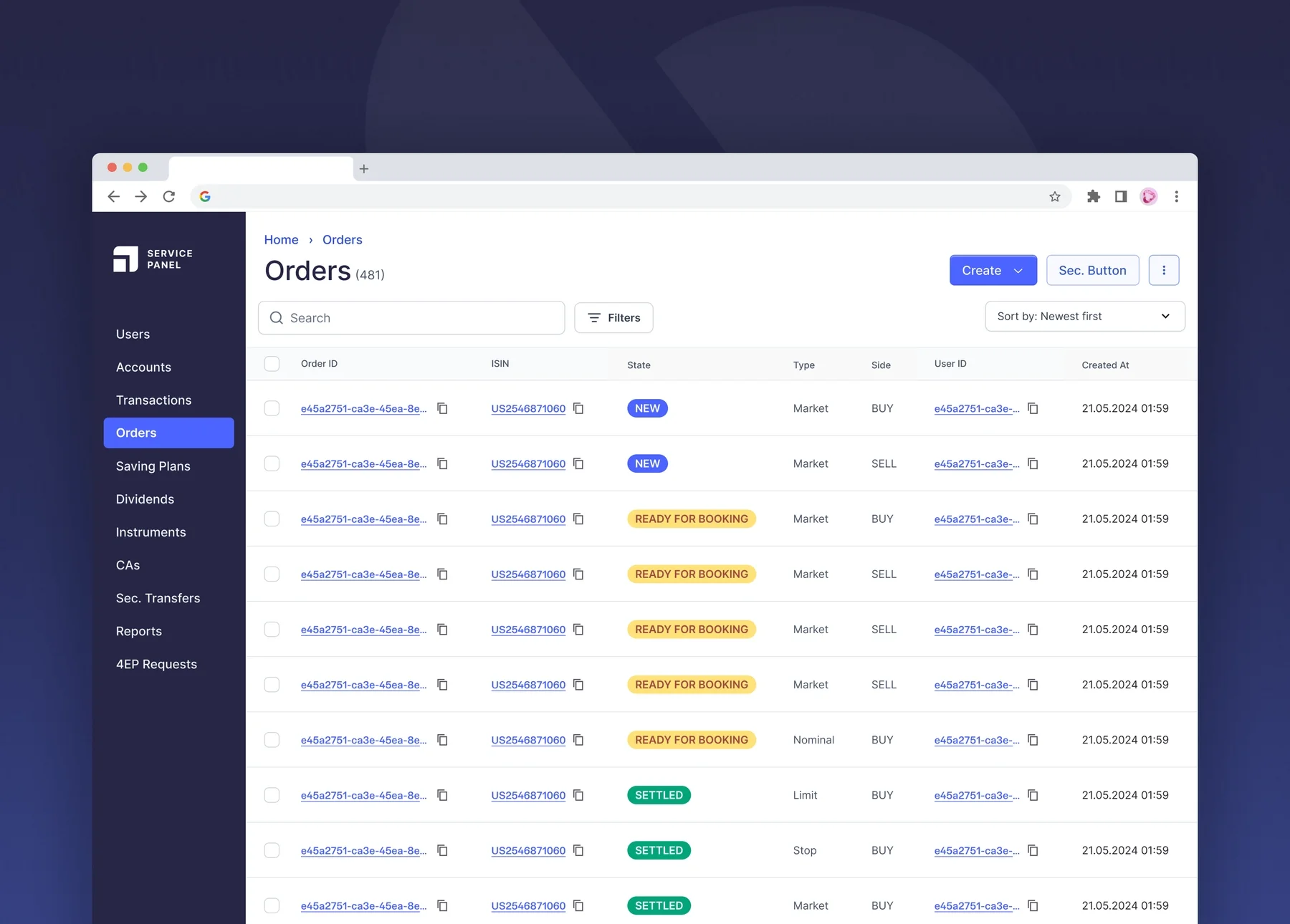
For the MVP version, we prioritized the Users module, as it encompass most of the data within. Along with the most important order entities flowing into the Orders module.
Users


Orders


Learnings
During the last quarter of my time with Upvest, the client-facing dashboard (ESP) was designed in close collaboration with the higher level team, but not with the development team that implements it. The developers were being hired at this time, and it was quite an uncomfortable place to design without the real implementation hurdles.
During the time the team was being formed, I felt it prudent to increase confidence in the designs while being equipped with answers for future questions. So I designed for multiple options (as with the search functionality), clearly referenced to design patterns and UI components to be used, and started to account for all states and actions. With help from the German-speaking product peer, the designs were also validated, as a prototype, with a couple of clients during this time.
Outcome
Having left the ESP at a state of high-confidence in July 2026, I learned that it was launched as Upfront in March 2026.
Next project
Building with AI: Upvest's external dashboard
Experimenting with Hyperagent to build a dashboard MVP
Built with AI
B2B0 → 1 ProjectDashboardWeb (Desktop)