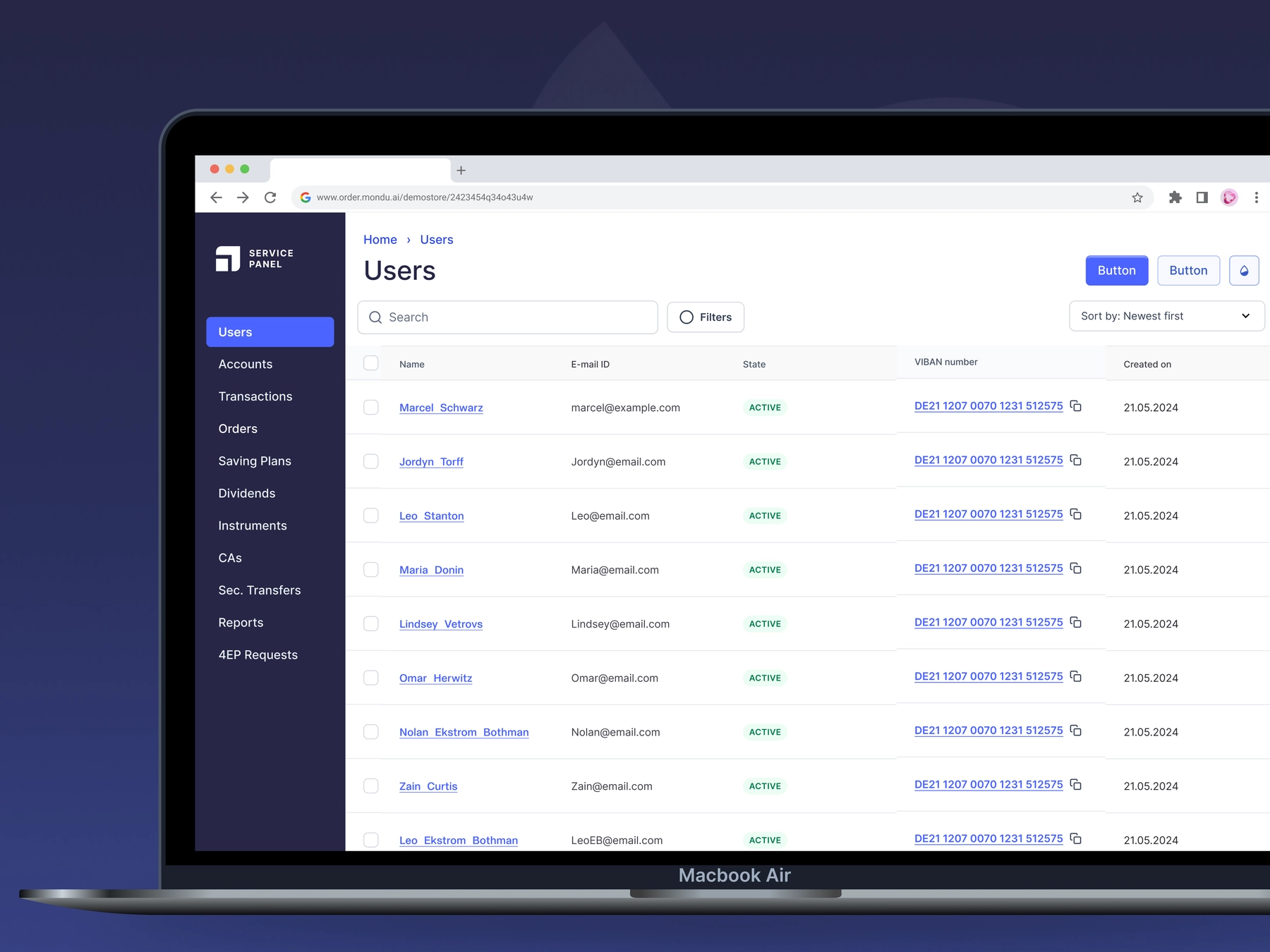
Launching the Buyer Portal


Building a webapp for order & payment management
B2B0 → 1ProjectsDashboardMultilingualWeb/Mobile
Team
Dashboard Team
3 Devs + 1 PM + 1 Designer
Role
Senior Product DesignerStatus
LiveShipped in
2023Overview
Mondu is Europe's leading B2B Buy Now Pay Later (BNPL) payments platform for sellers & buyers. Upon integeration, businesses will be able to offer Buy Now Pay Later options to its customers via their website.
Mondu was embeddable as a payment option on the checkout page of the business and upon selection, customers were taken to either of Mondu's payment interfaces - The Widget or The Hosted Checkout.
And once the purchase is made, the business customer or the buyer will be able to manage their orders paid for via Mondu - using the Buyer Portal.
Situation
Mondu's payment infrastructure initially consisted of the payment widget. With more and more business customers signing up for Mondu, there was a need to branch out into more offerings, which gave way to the Hosted Checkout page.
An Ecosystem for the Buyer
The Buyer Portal was one place the business customer can create his profile, verify and update their company's KYC, so for the next purchase Mondu has everything pre-filled already on its payment interfaces.

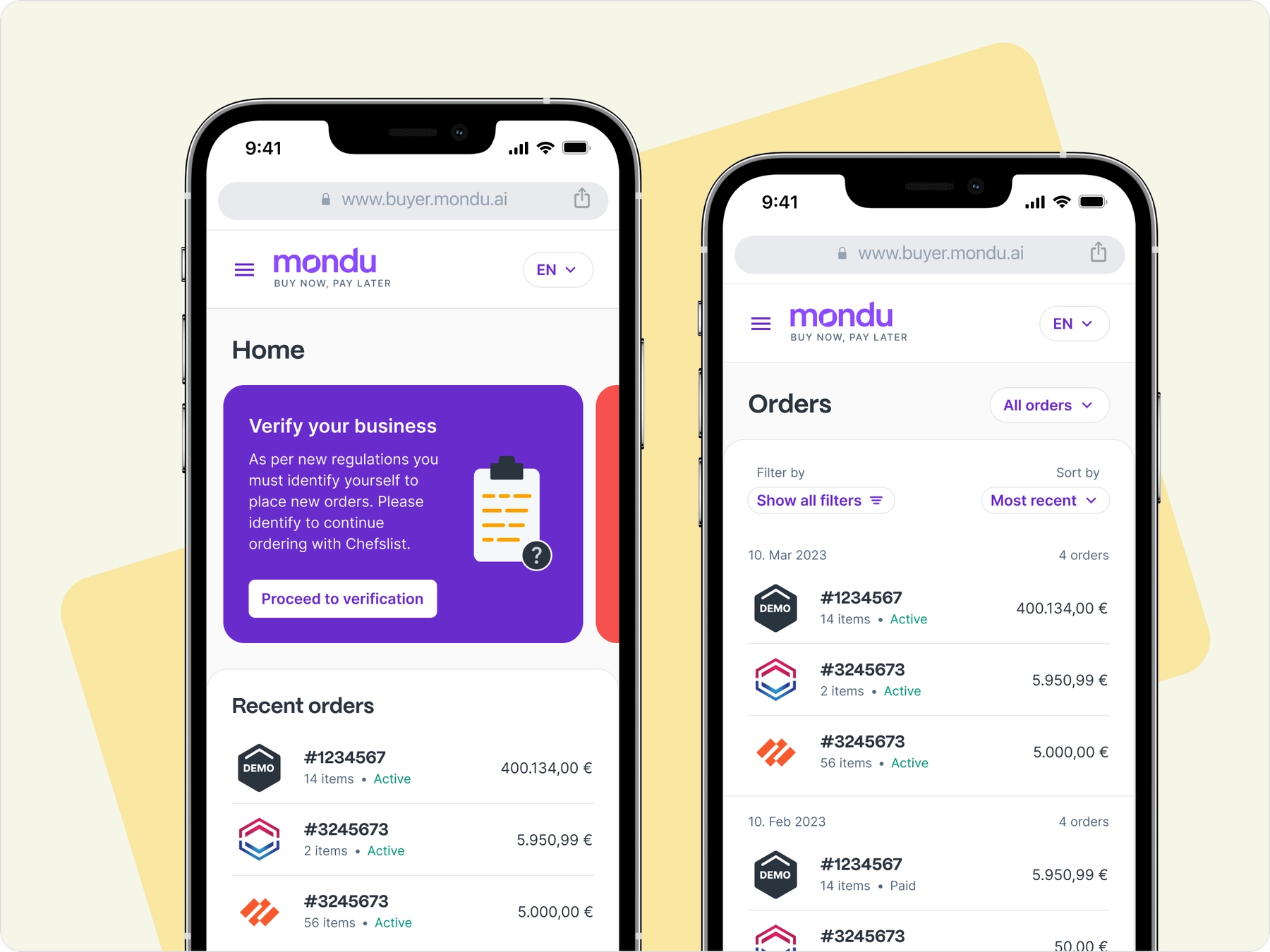
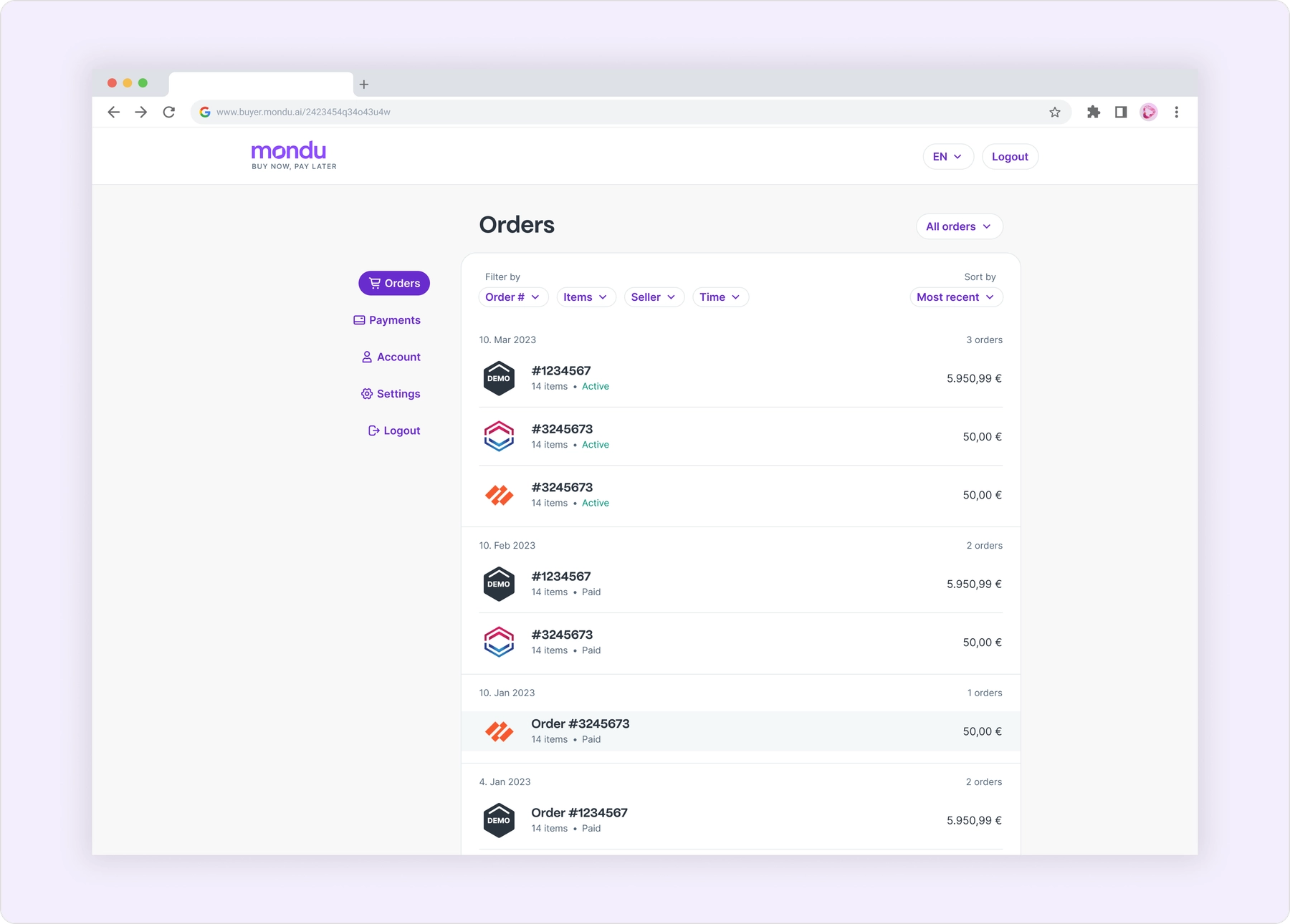
In order to launch the MVP, we prioritized the most important sections - Orders & Payments, followed by Account & Settings The layout of the buyer portal looks and works more like a B2C product, and initially it consisted of a clean layout with a clear list of orders and its details as metadata.
Orders
As the first section for the MVP, the details for this section was already available from the back-office and the payment details we were getting from the buyers during the checkout process. And as the only designer at Mondu, I had instant access to arrive at the information architecture I needed to get started.
After which, it was a quick few iterations to design for details to be displayed in a clear hierarchy that made sense from a buyer's perspective.
Identifying Orders
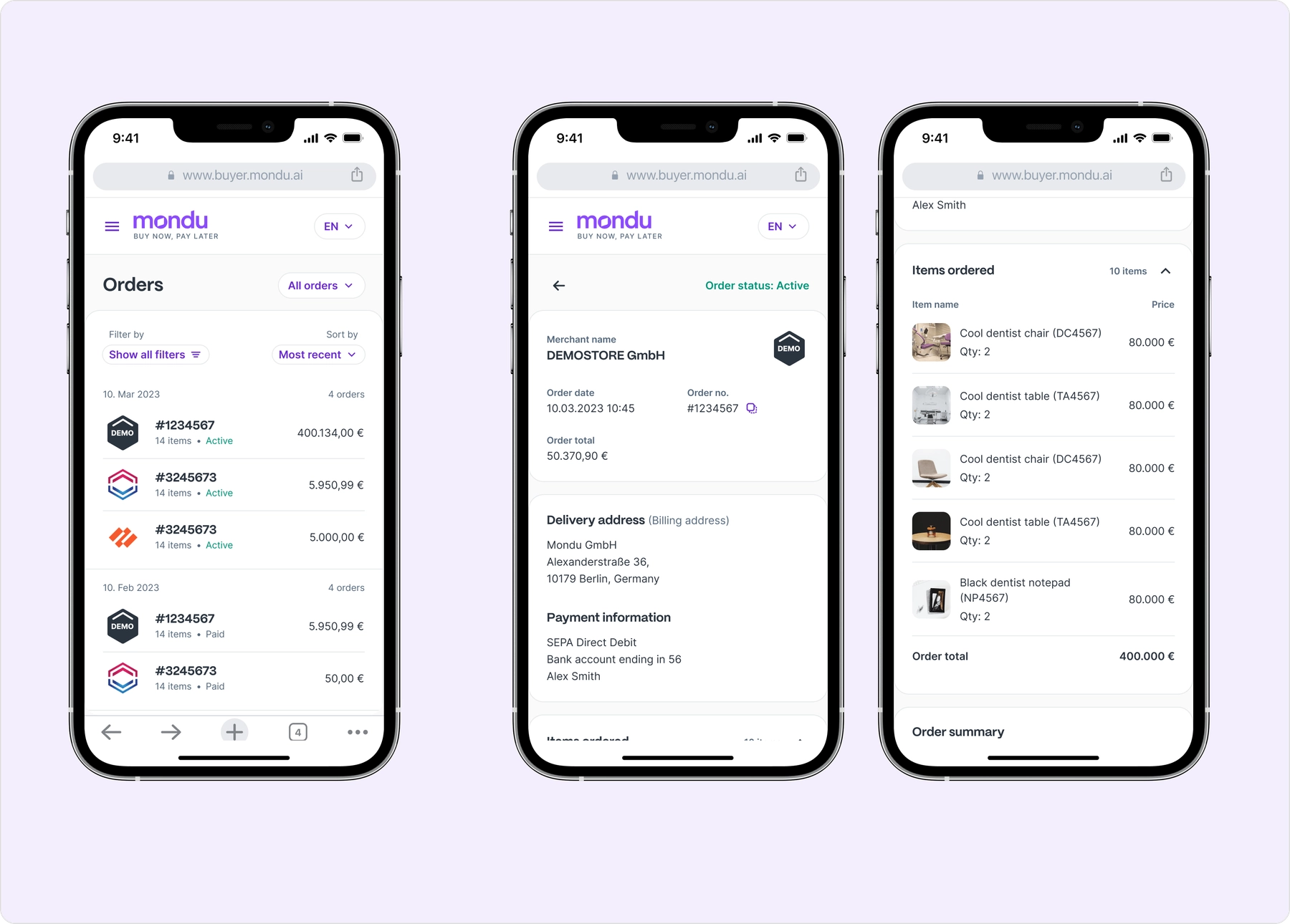
While order details are many, the most important "identifiers" are to be displayed in the list of orders that is quick to scan for the buyer. There is the order ID, the order amount, the date of purchase and the status of the order. These are the most important details that a buyer would want to see at a glance. But which of them to show as the primary key information?
It was especially beneficial for me to be also designing the screens for the Payments section, because the identifiers there were pretty clear as they are payments "to be made". In that case the payment amount is to be the most important detail for the payer. And with amount being the primary for Payments, the amount couldn't also be the identifier for the Orders section.
Compared to the other options, the order ID then became the most meaningful primary in this case. And the most important visual representation was the logo of the merchant they purchased the order from, supported by the order amount and the number of items in the order and the status, as metadata.


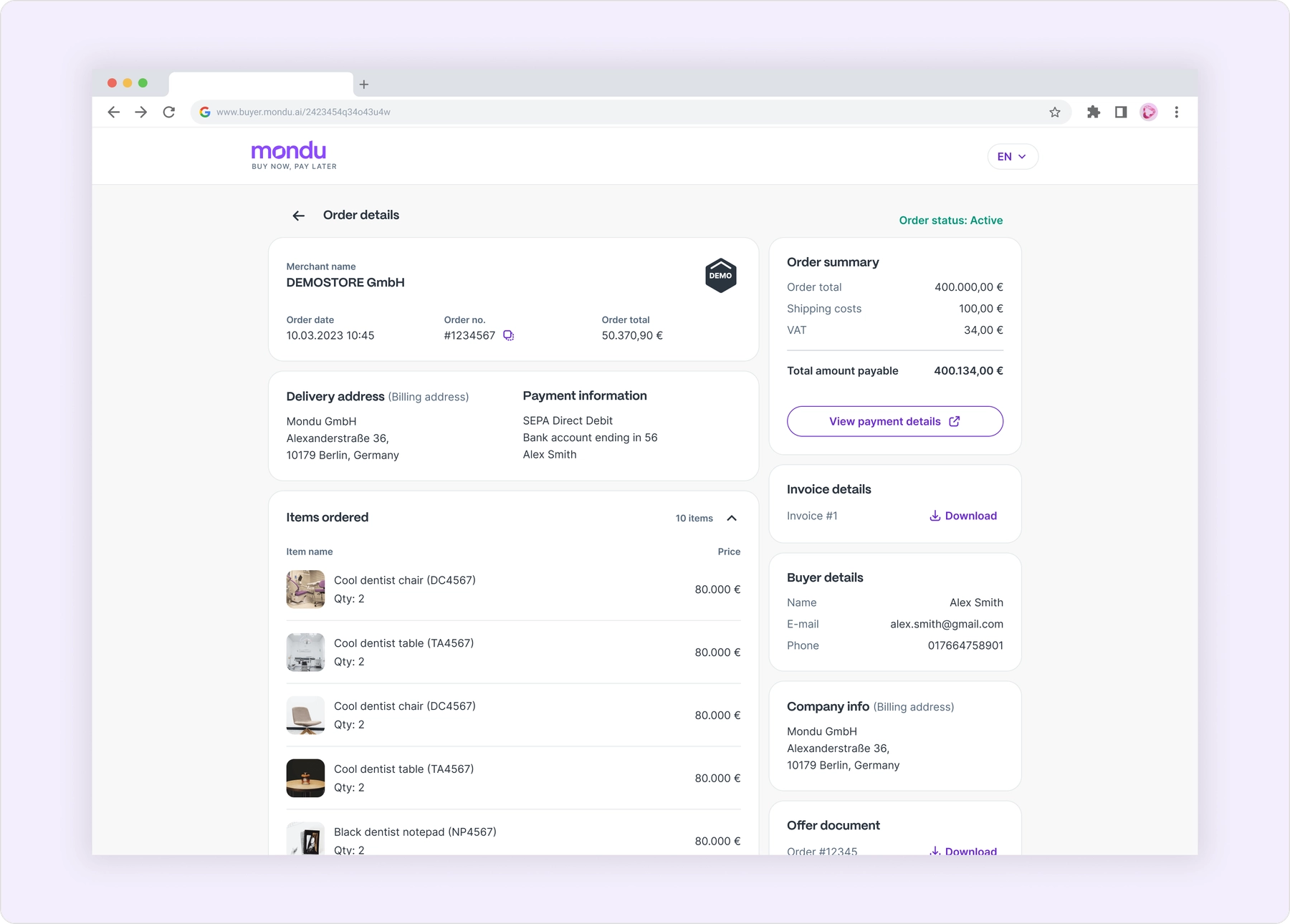
Initial actions for the MVP launch included the option to View payment details and Download invoice and any other documents available. And responsive mobile layouts looked like this:

Payments
After launching orders and interviewing buyers, we collected some actionable improvements for the orders page. While simultaneously working on Payments as the upcoming section.
Identifying Payments
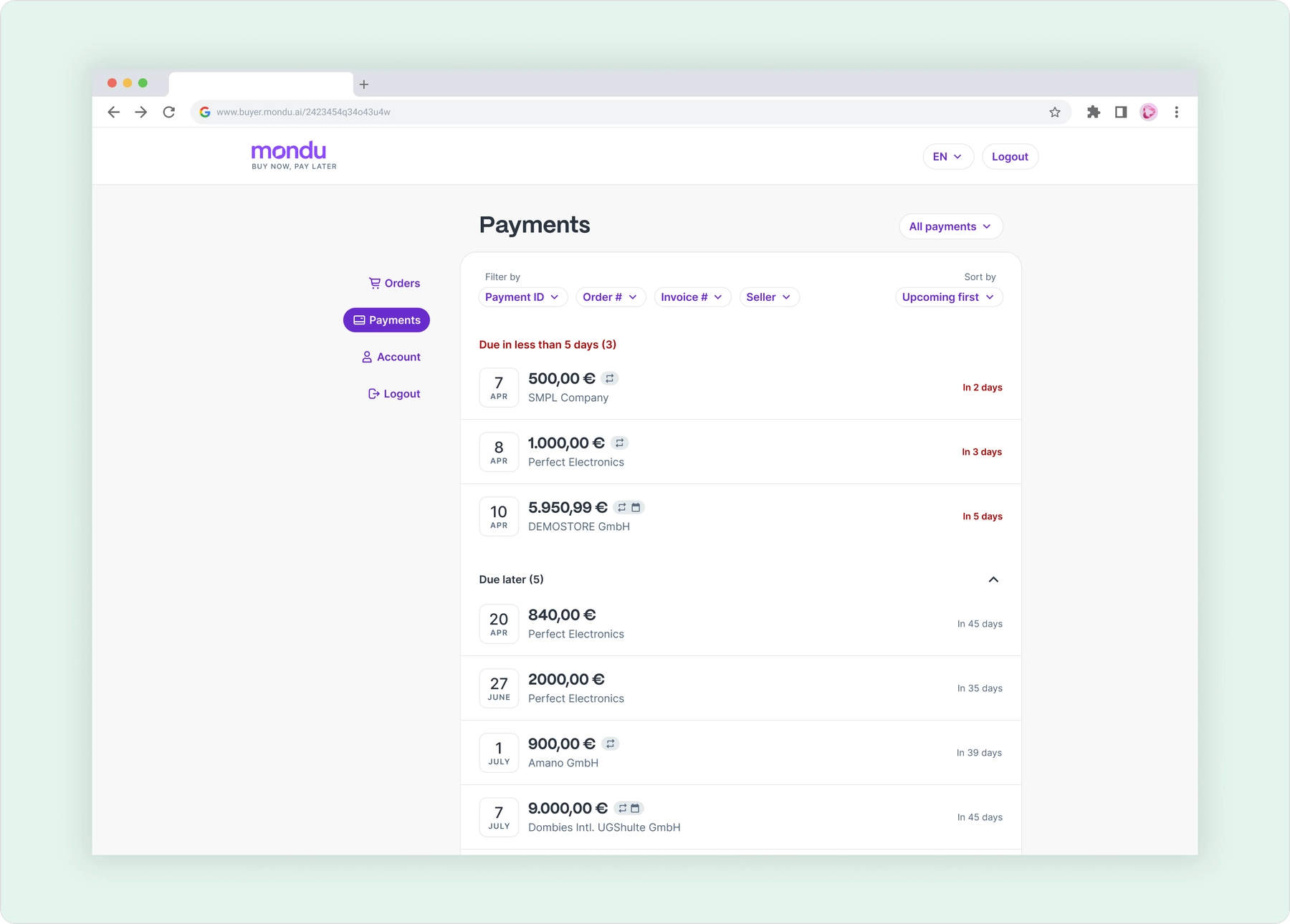
Since Mondu was BNPL (Buy Now Pay Later), the payments were to be made at a certain date that was agreed upon purchase. So the Payment ID did not make sense as the primary identifier, as it works on Orders section/module.
The payment amount and when it's due are hence more meaningful to the buyer.

Payment Types
Mondu offers 3 types of payment methods to "pay later" with. In Germany, the primary market, there are Invoice, SEPA Direct Debit and Installment options offered during checkout. Below are the proposed designs for each of the payment methods, as they are works in progress (as of Nov 2023).
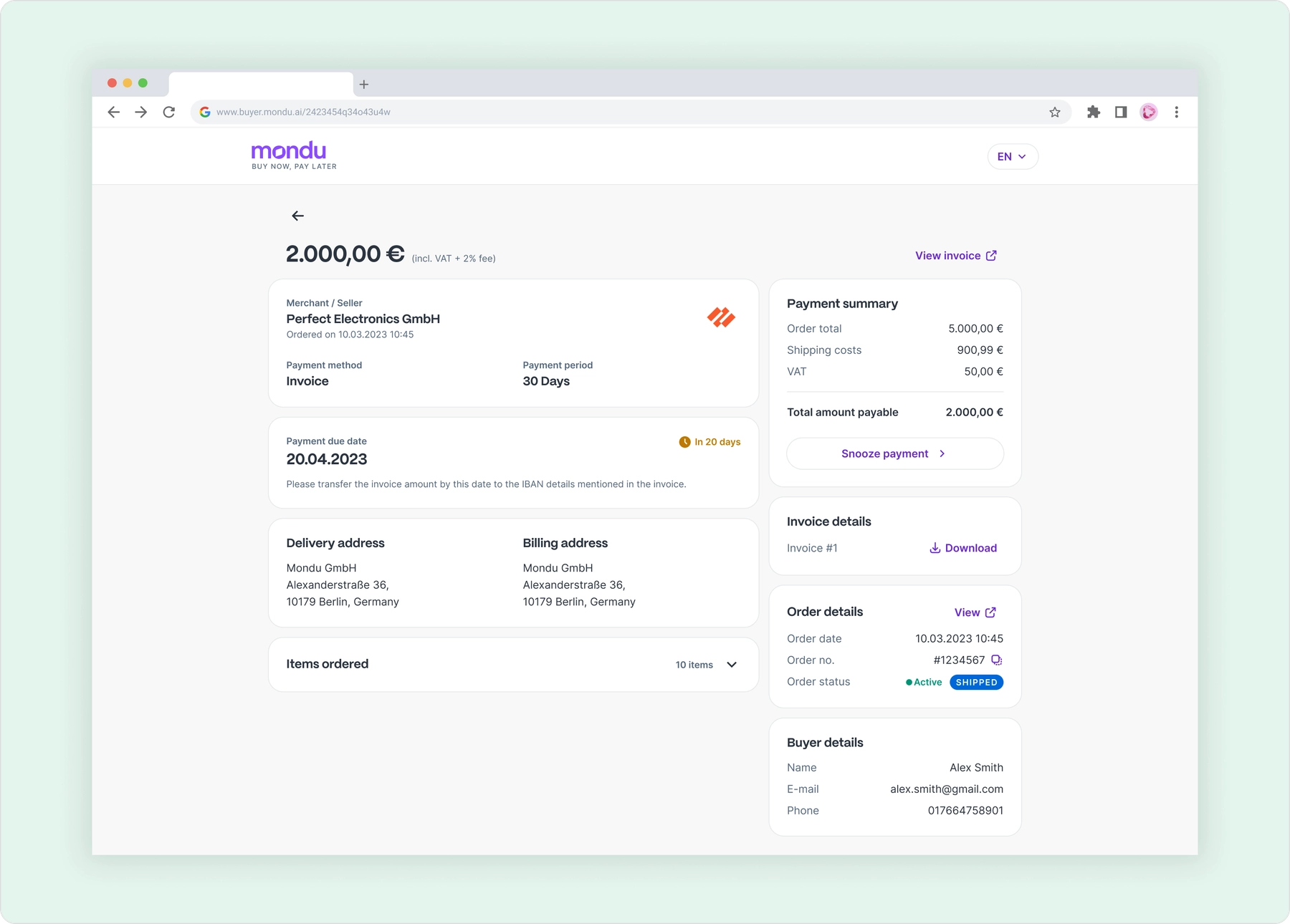
And below are the different layouts I designed for Invoices, Installments and SEPA payments with the second section accomodating for the different payment types.
Invoice payments

Installment payments

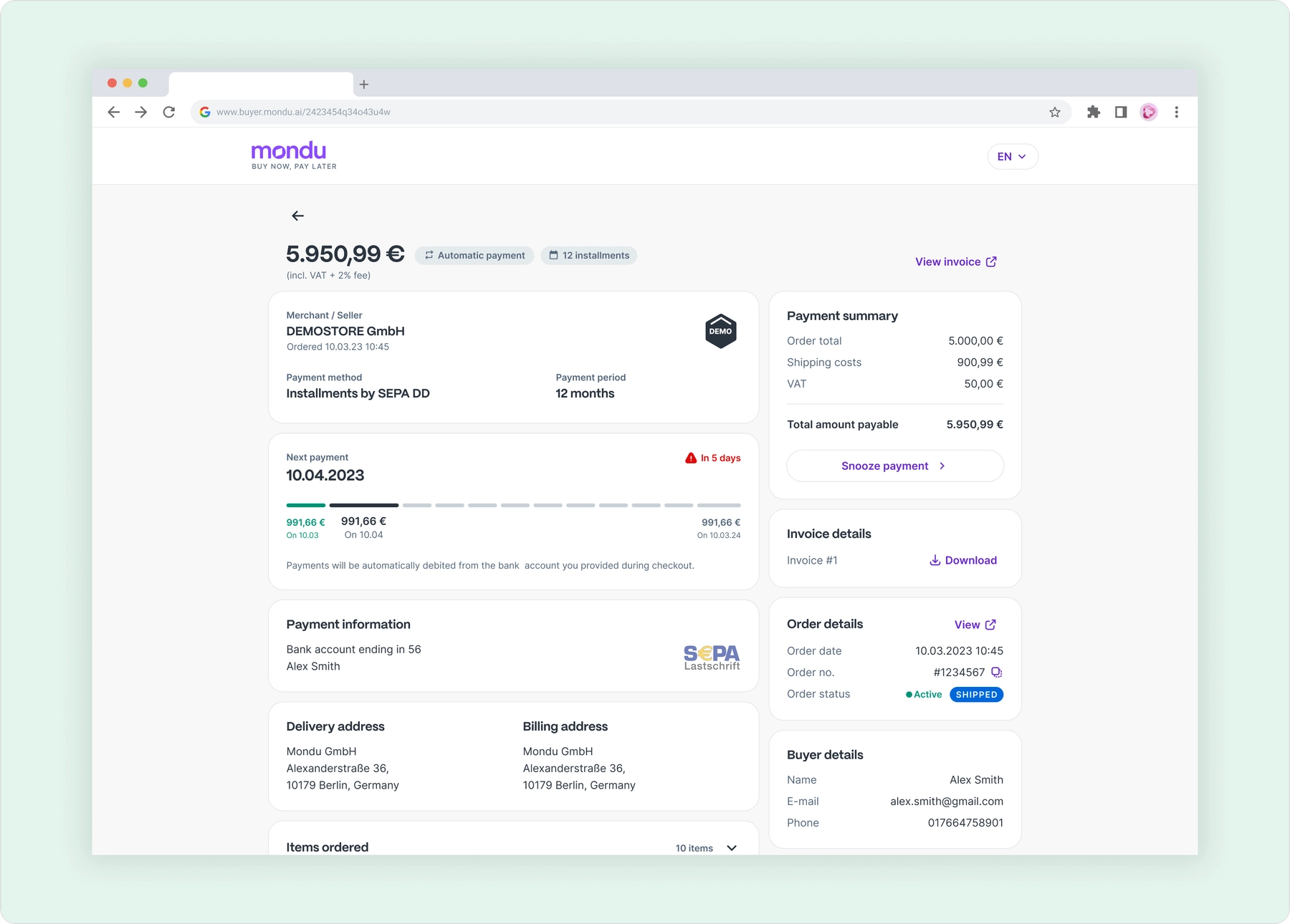
SEPA payments
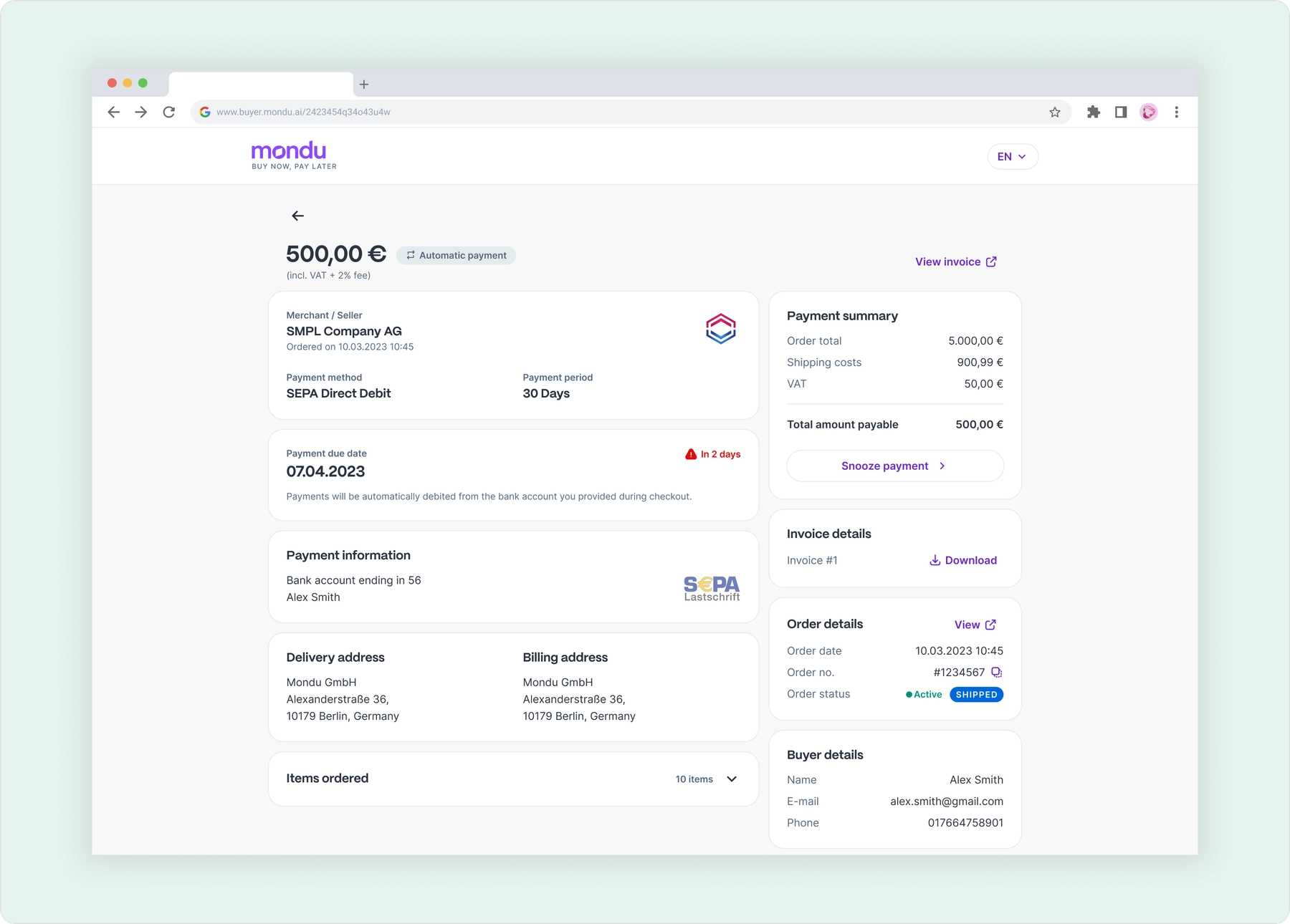
I also proposed to introduce the pills on top, that could easily convey to the Buyer what payment setup exists for the specific payment like "Automated Payment" if it's SEPA and "No. of installments" if it's to be paid in installments.

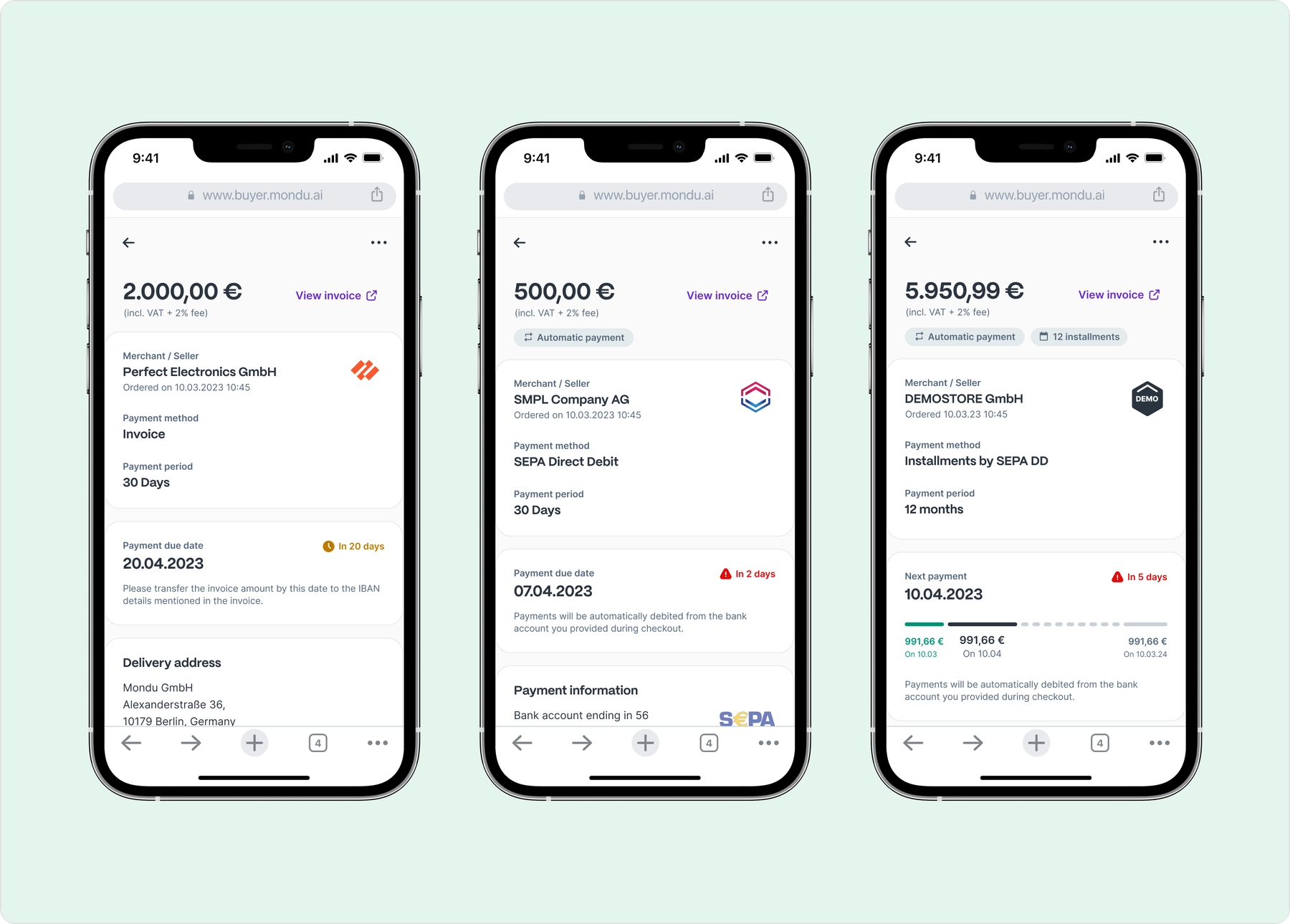
These could also show up on the payment list as smaller icons.
Explorations - Home Page
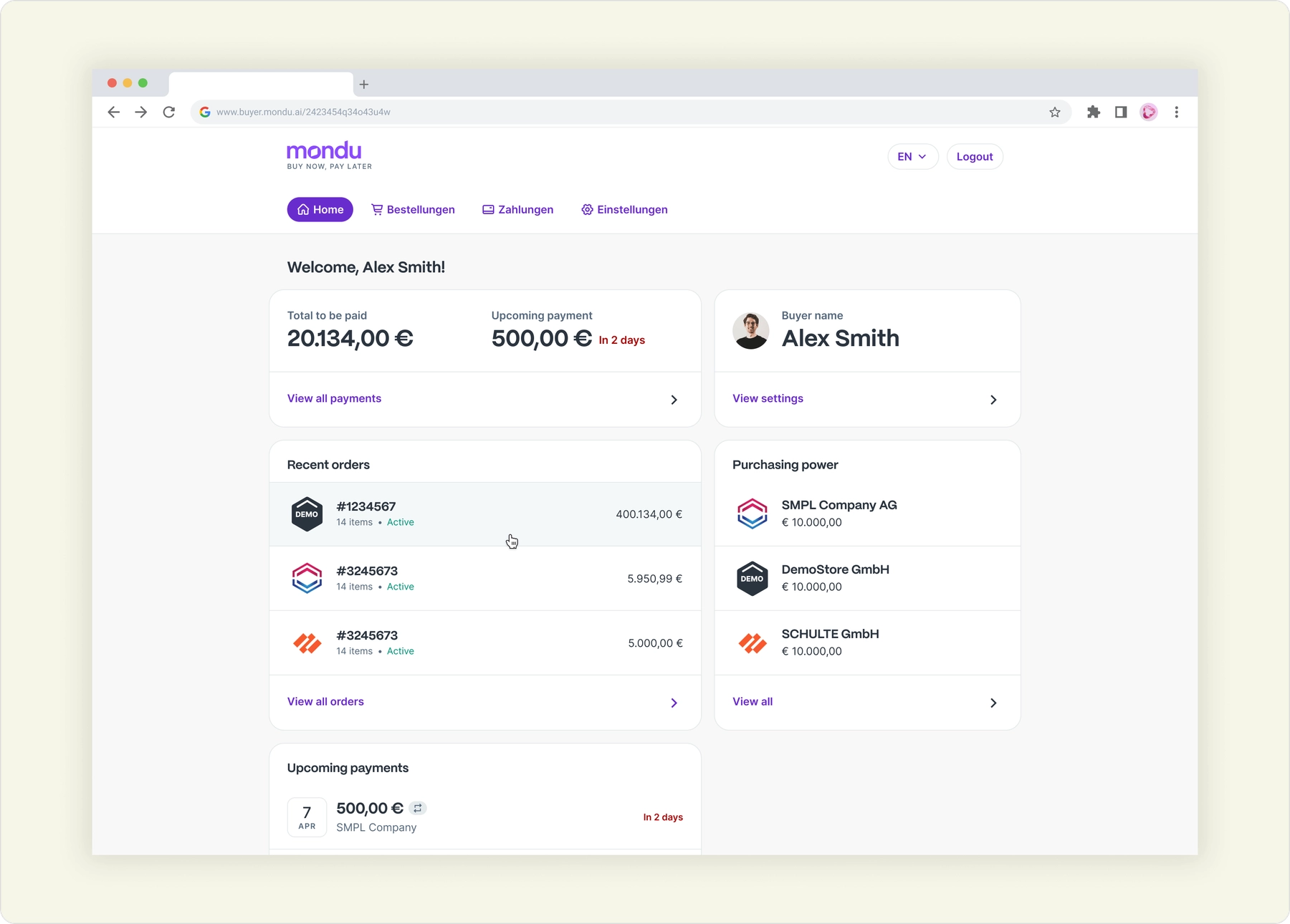
With the topic of purchasing power coming in, it was evident to explore options to show it on the homepage, because it shows the amount the buyer has remaining to make further purchases. One of the options is below with a simple dashboard-style homepage, taking up the entire width, and sending the navigation to the top of the screen.

Outcome
Launching the MVP of the Buyer Portal was a great success and we saw a few users flow in the first couple of weeks. With the interconnected ecosystem Mondu was building at the time, it was inevitable that the Portal was going to be needed by the business customers paying with Mondu.
Today, more details about the Buyer Portal can be found in this link: https://www.mondu.ai/business-buyers/
Next project
Laying foundations for Upfront: Upvest's external dashboard


Creating an MVP with initial wireframes & interfaces for a client-facing dashboard to monitor user investments
B2B0 → 1 ProjectDashboardWeb (Desktop)
Read more