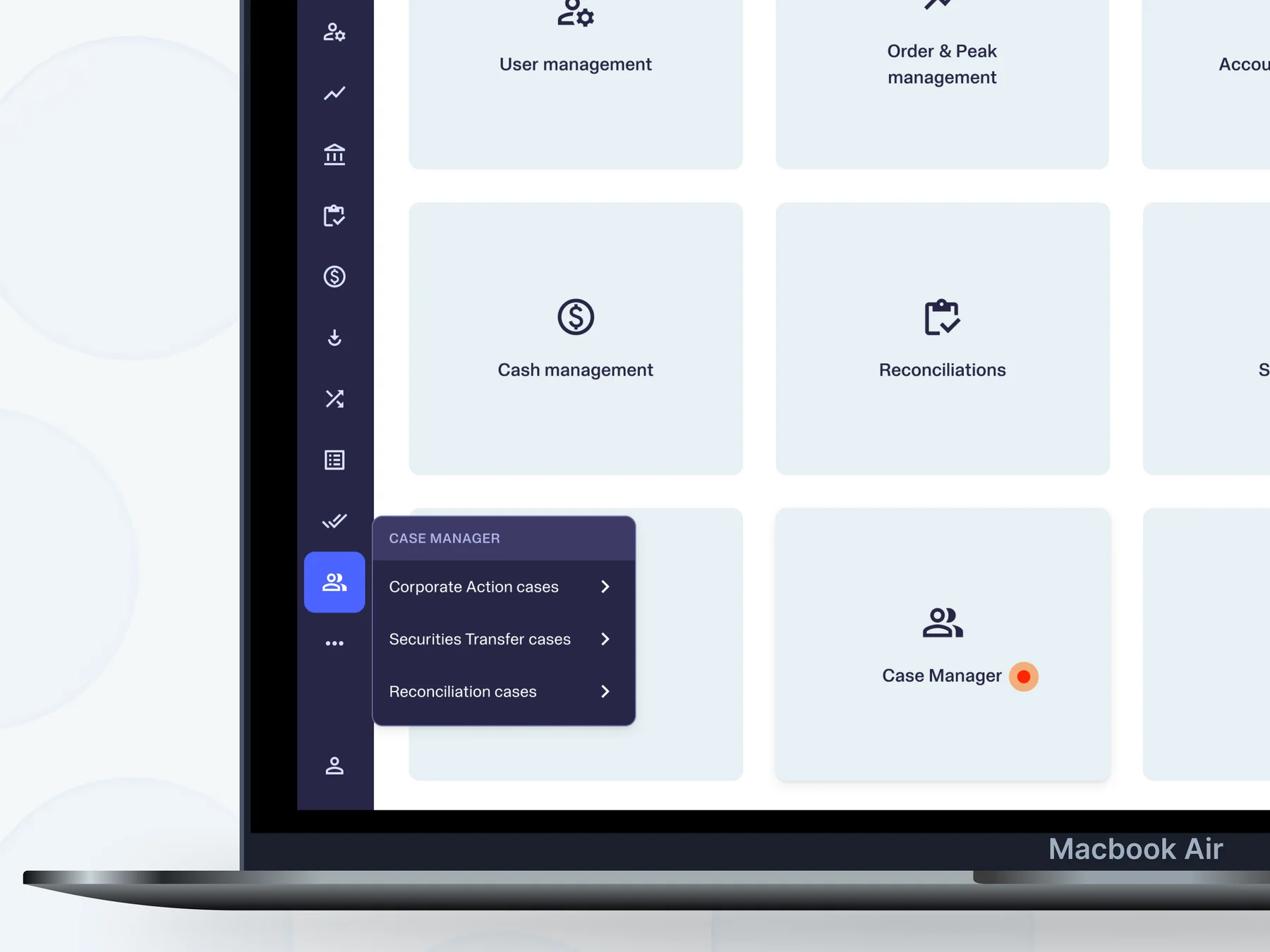
Scaling the back-office for business investments


Adding insight-based functionalities & welcoming business investors
Back-Office DashboardWeb (Desktop)
Team
Tooling Squad
4 Devs + 1 PM + 1 Designer
Role
Designer (Solo)Status
LiveShipped in
2025Overview
Upvest is an investment API infrastructure used by big FinTech names like Revolut, N26, SumUp, Shares, Bunq, Ginmon, Liqid, and the list only keeps growing.
The initial offering of Upvest's API is to allow its users (individuals) to trade in Portfolios, Savings Plans, Fractions and Roundups, where the user can invest in 5000+ Stocks, ETFs, and Mutual Funds.
The Upvest API was soon going to allow Businesses to trade as an entity, and this is how I led the design initiative for Business entities in the back-office tool which used by operations team.
Situation
The Upvest back-office contains a Users tab, where the ops team manages individual user data like KYC, orders, etc. The addition of Business means making space for one more entity in the Users tab.
Hurdles
Overloaded User Flow
The information architecture and the user flow of how the Ops looks up for details is not fluid enough for overloading another entity into the same view. Things might have to be re-built and re-configured.
Complex Data Structures
The data structure of the Businesses were different than individual users and contained more information
Rigid code-base
Existing functionalities like search/filter were not accommodative enough for the another entity because of the rigid data design.
Product Explorations
User Flow or Data Structure?
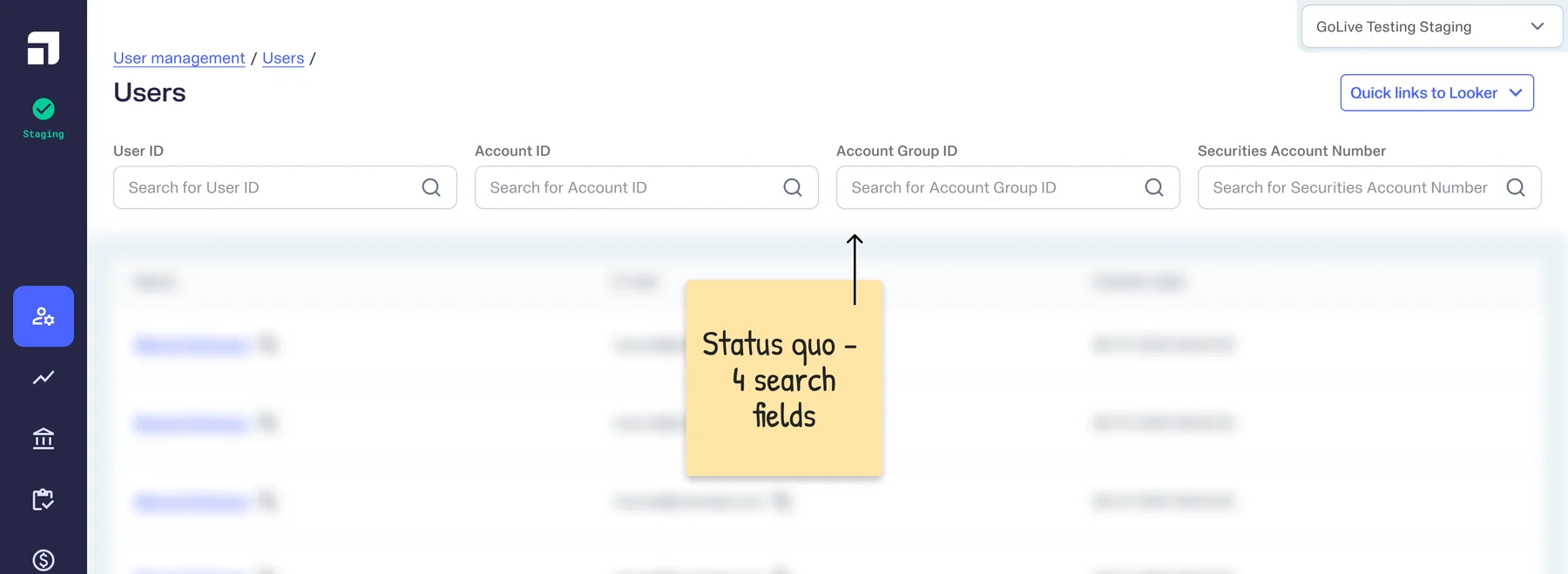
The data coming in from the API was planned to be structured in such a way that it was going to make it difficult for the user's experience. Based on the status quo, ops was used to searching for specific IDs of users as the first step in finding the user.

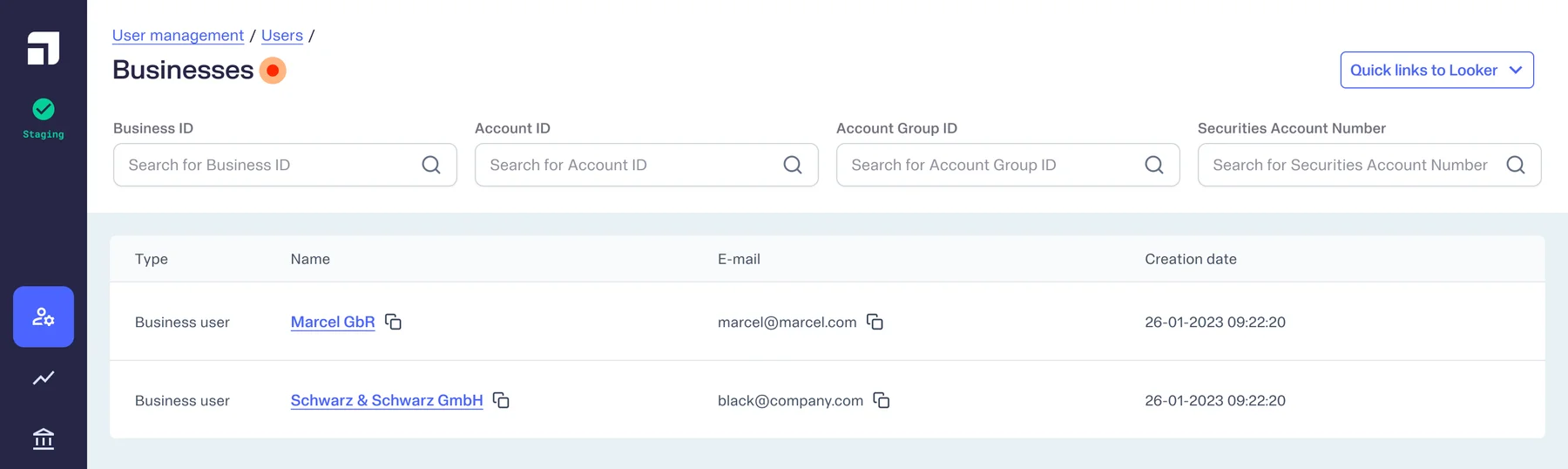
Businesses were seen as an entity alongside Users, so Ops will either work with Individuals or Business at a time. And if a user is linked to a Business, that should be clearly distinguishable as well. I had initially surfaced some options to position Businesses and these were some of the operational flows:
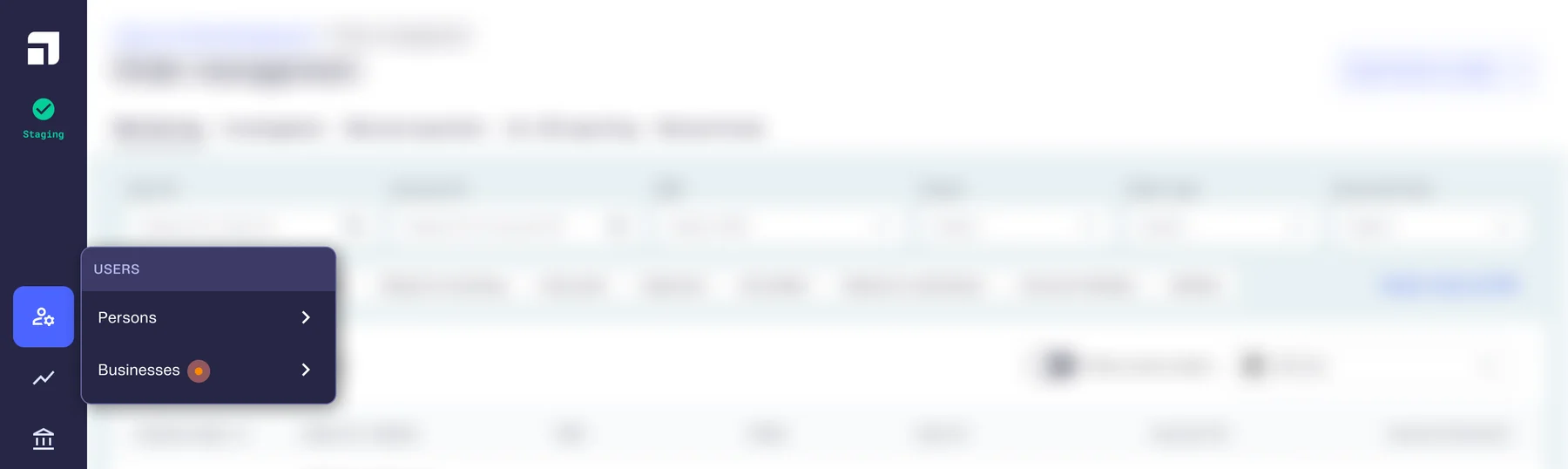
User flow option 1:
The Users module branches into Persons and Businesses. Ops selects an entity to reach its respective page, then continues operations (least complicated).


User flow option 2:
The Users module contains a toggle to select Person or Business first. Ops then searches for relevant details.

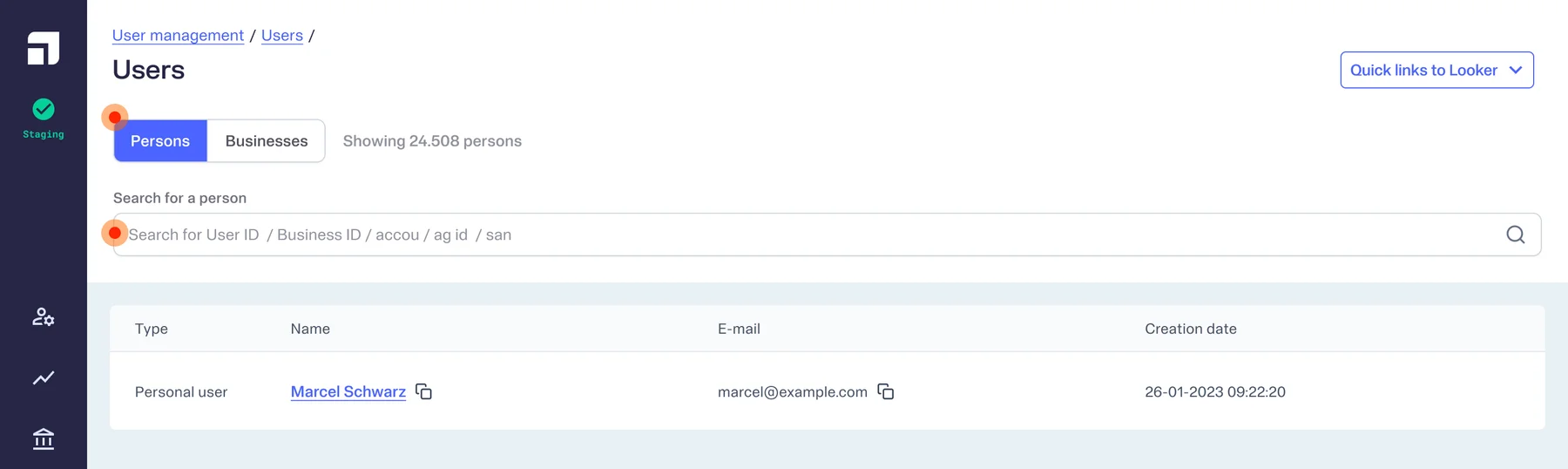
Although there were the usual complications that come with toggle selections, for cases like this:
- Keeping an option selected carries it's own complications for an ops person who works deeply in routines.
- Unselecting means ops will always have to make a selection.
User flow option 3:
Taking the toggle one layer in, from where search happens to inside the table. This meant that ops can searching for either* person or business first. *If the data structure allows for it.

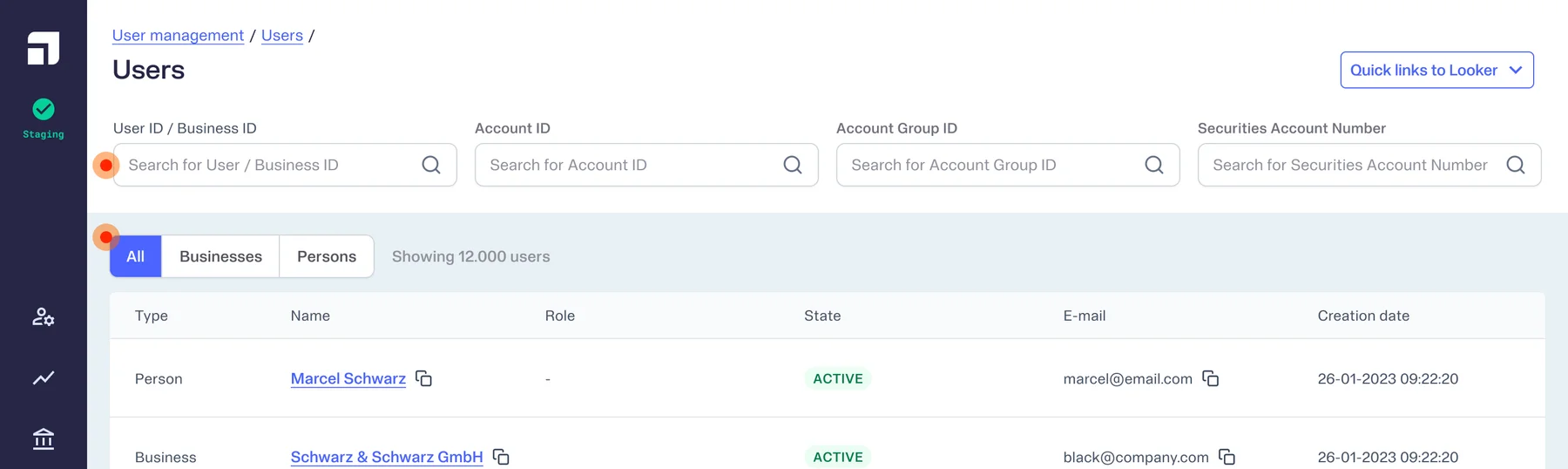
This came with its complications like how the toggle would respond to the search
on the top of the screen. Like, if a Business is searched, should the toggle
select Business automatically? Making this the least preferred option due to
it's complicated logic.
User Insights to the rescue
While shadowing Ops and understanding their workflow, my PM and I noticed that when Ops were in their routines, they would deal with rogue IDs that do not clearly mention what ID it is.
An improvement ops had requested was to be able to search for any ID (user ID, account ID, account group ID or securities account ID) and find the user associated with it. Because if they were losing time with 4 IDs with just individual users, they will definitely lose more with the introduction of Businesses.
The hurdle in this case was that the tenant (Upvest client entity) needed to be selected manually everytime a search was performed. And because the systems were built rigidly, this couldn't be changed.
User Flow and Data Structure
So now given the
- undecided hierarchy of data structures
- tenant selection complication
- user feedback &
- insights from Ops' shadow sessions
... I created 2 paths, along with my PM, as a first step that works with unknowns and complications that works with any data-structure decision that the backend API dev team takes.
Decision 1
Retain Users page until Businesses are fully enabled and Business data is flowing.
Decision 2
Retain the quick search fields, for when Ops knows which ID they are dealing with.

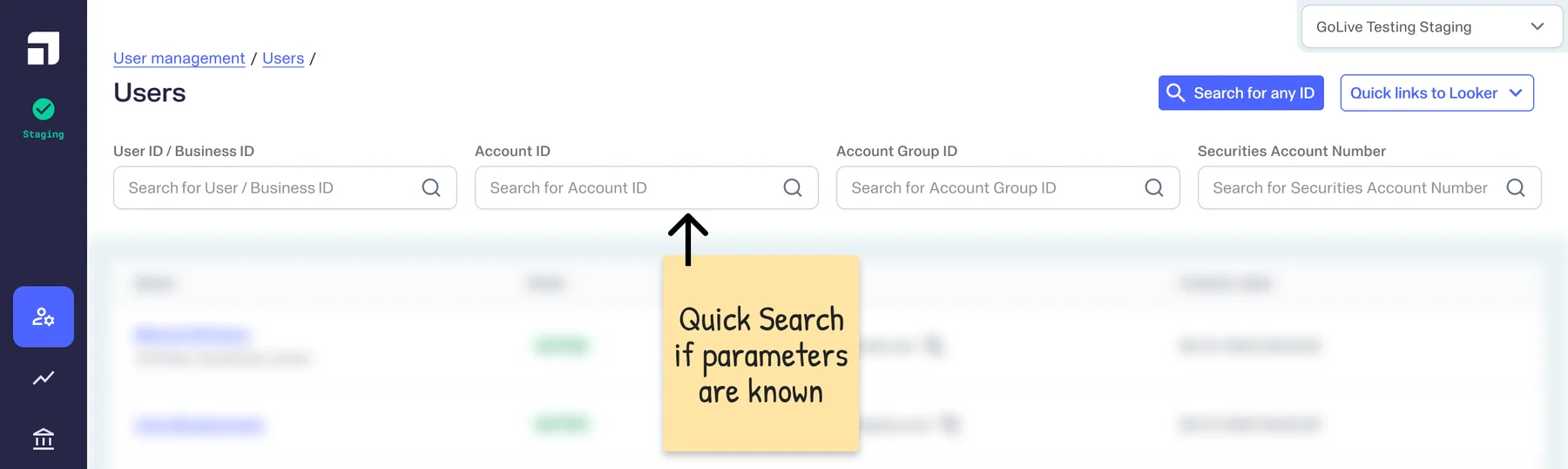
Decision 3
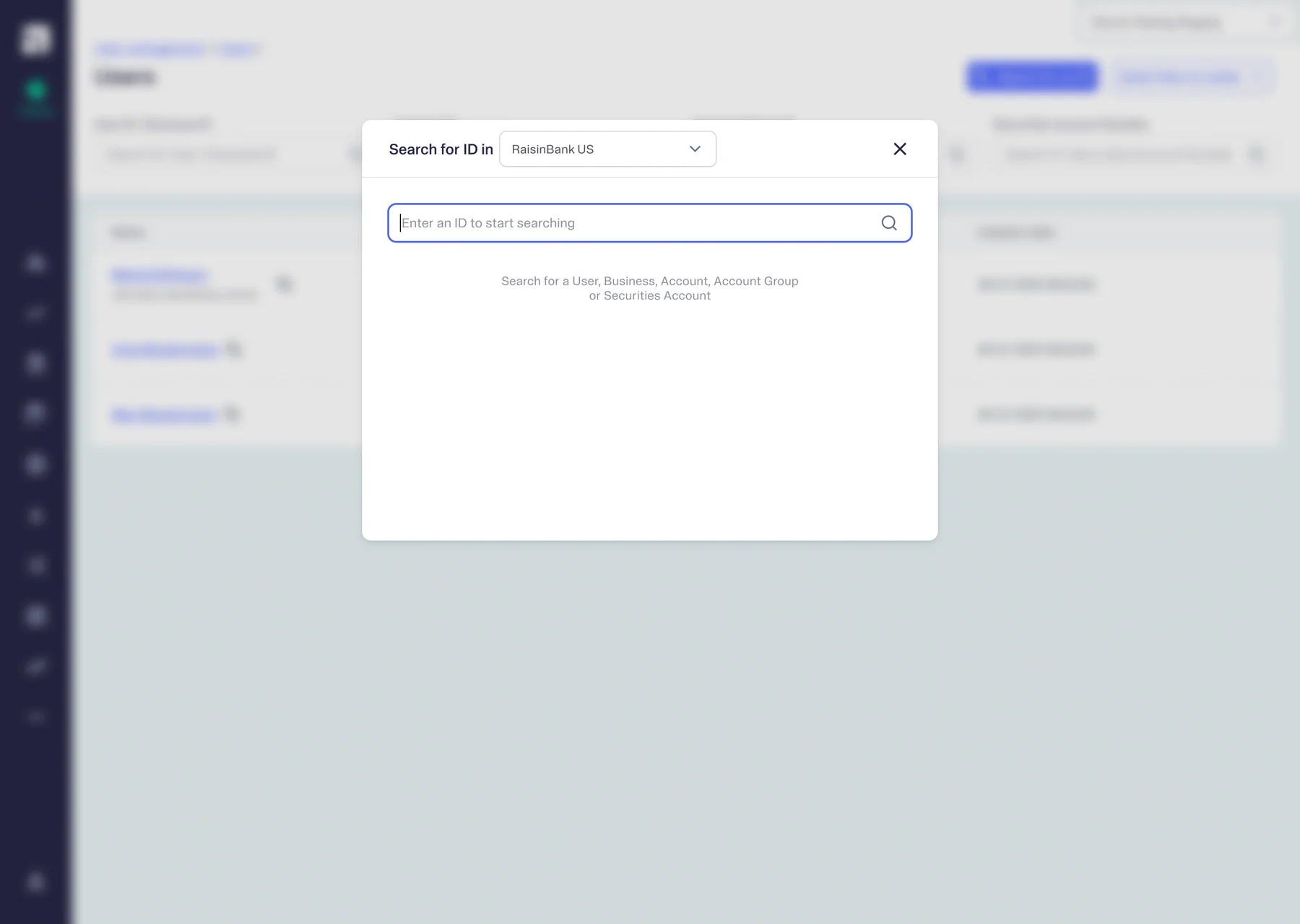
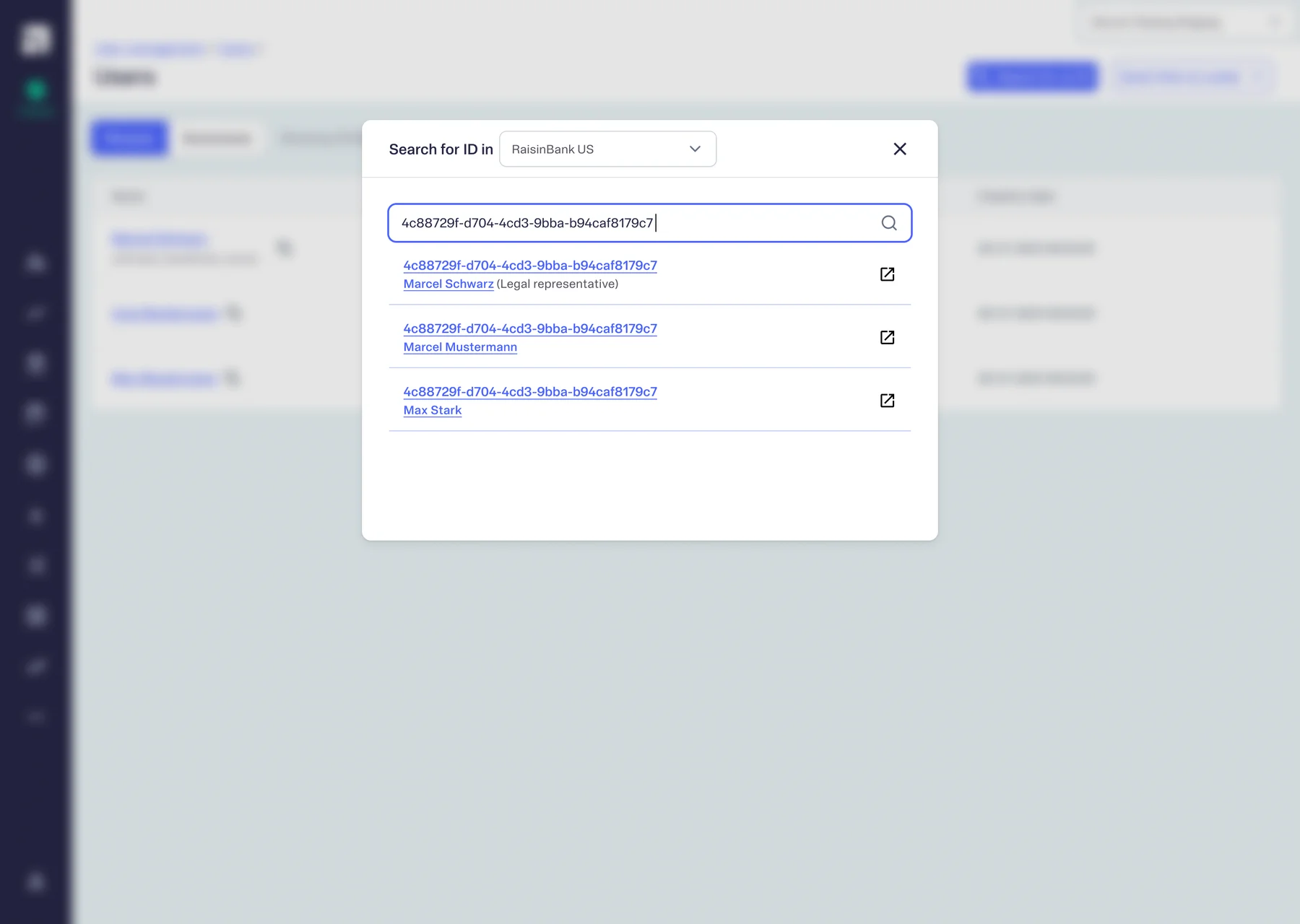
Add an additional fuzzy search, to reduce time wasted in identifying nameless IDs.

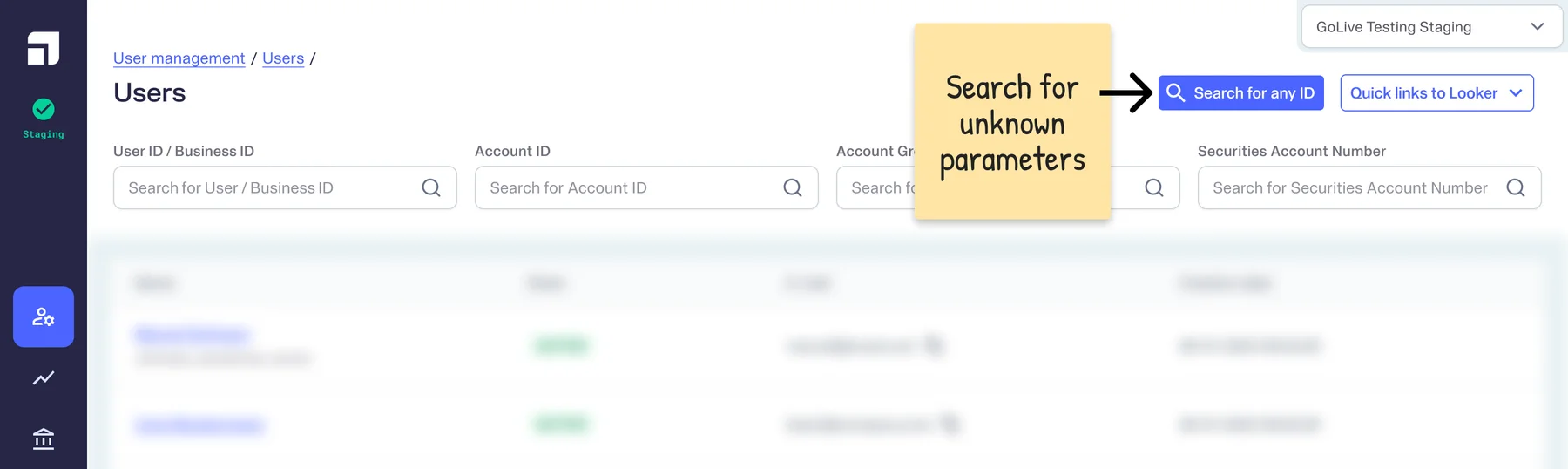
After discussing it with the devs of my squad and based on where the data was available, we decided to implement the fuzzy search as an overlay search box, like CMD+K.
The alternative was to use a search field ON the page, instead of a button, which wasn't feasible because API calling for Business entity, wasn't possible on the current Users' page.


Difficult decisions that scale
By working on the "fuzzy search overlay" we solved for the unidentified ID but restrict the user with the tenant selection.
Design details
And to decide on something that solves a problem & restricts user experience is a bit of a recurring event, because Product and Design sits between the codebase and the enduser. Being the one to take the hard and calculated decisions.
So with Businesses, my PM and I made some hard product decisions releasing this feature because the suggested solution was both -
- suitable for right now &
- flexible to be improved upon
In the end, we still had the freedom to move the feature from the overlay to the page in the future.
Design Explorations
Discussions for introducing business in the back-office went on for weeks because it a complicated undertaking. Product and development teams were going over the implications of how this would affect the back-office because that's where the user management ops did their everyday tasks from.
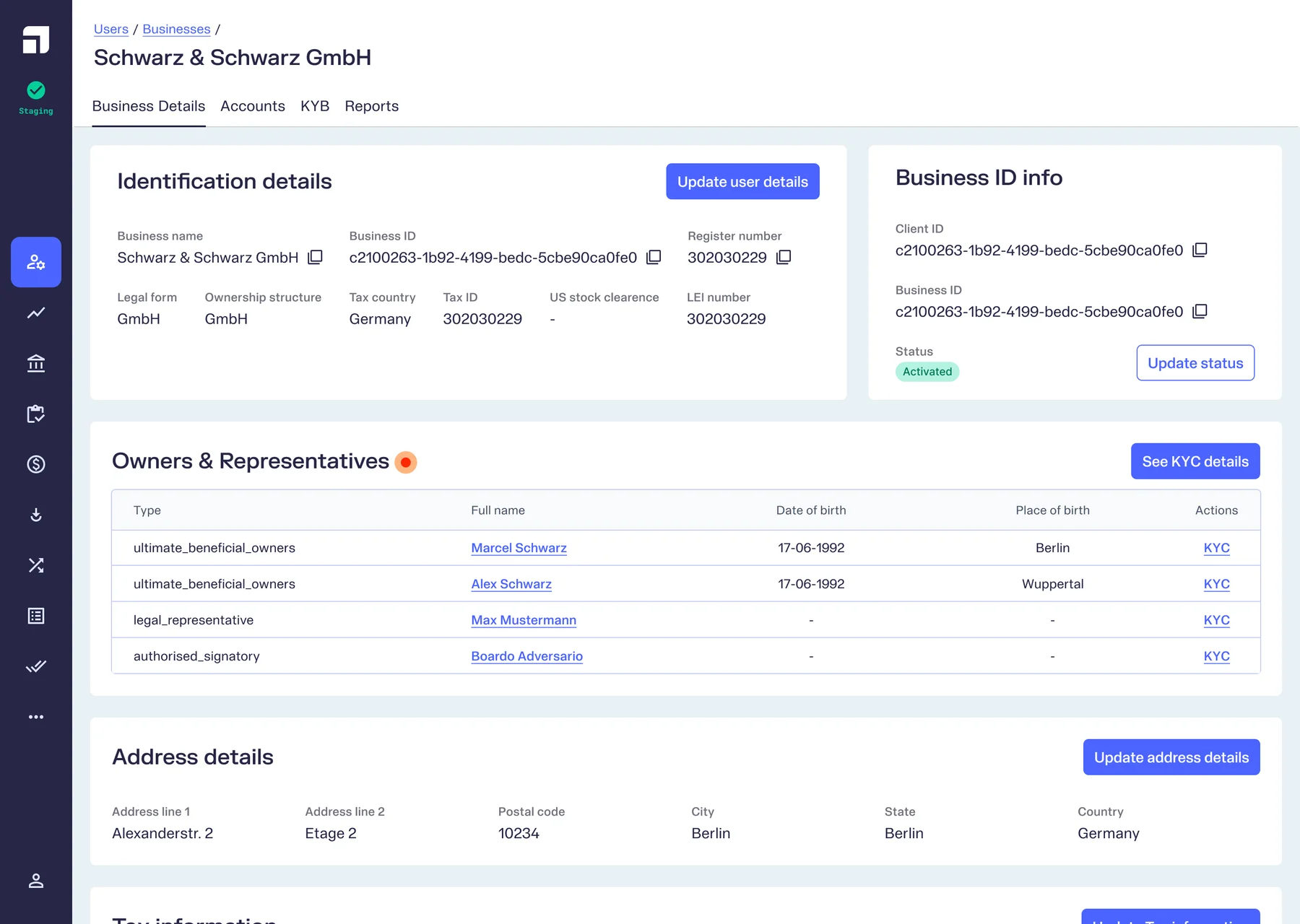
Business detail page UI
Compared to the other hurdles this was an easier place to start. After acquiring the sample data set created by the developers of the User Management team, I set to creating the page structure with all the details.

Implications on other modules
Before getting to implementing the entity addition, as a product initiative, my PM and I also mapped all the places where Businesses will show up on the back-office.
- Search for either user or business entity
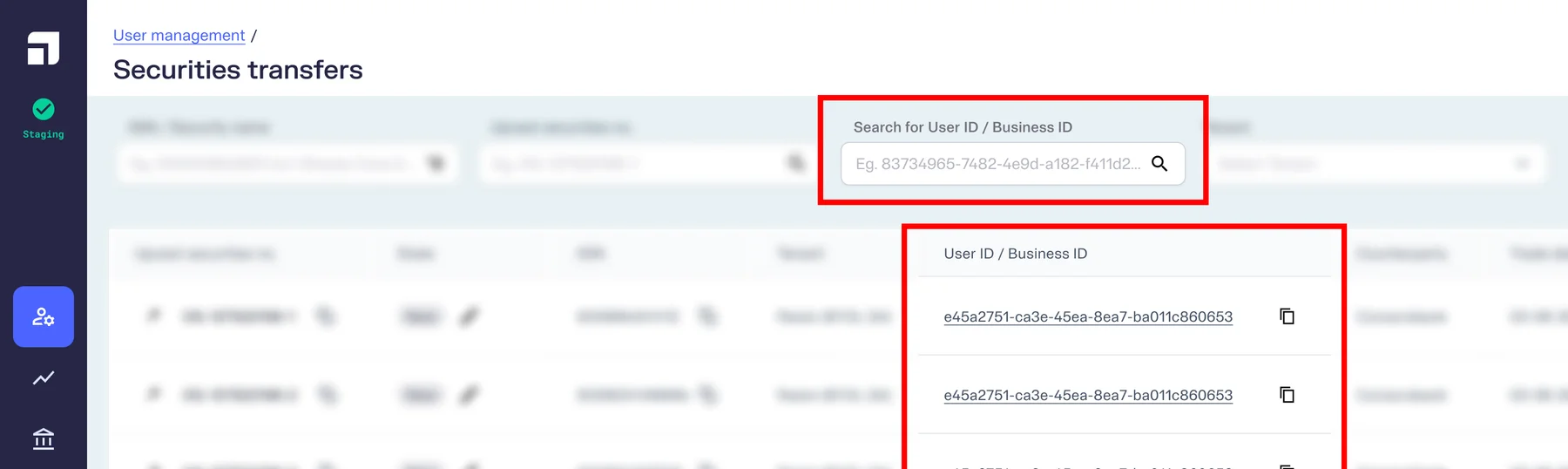
Either Person or Business ID is displayed - Filter entity type, then search for ID
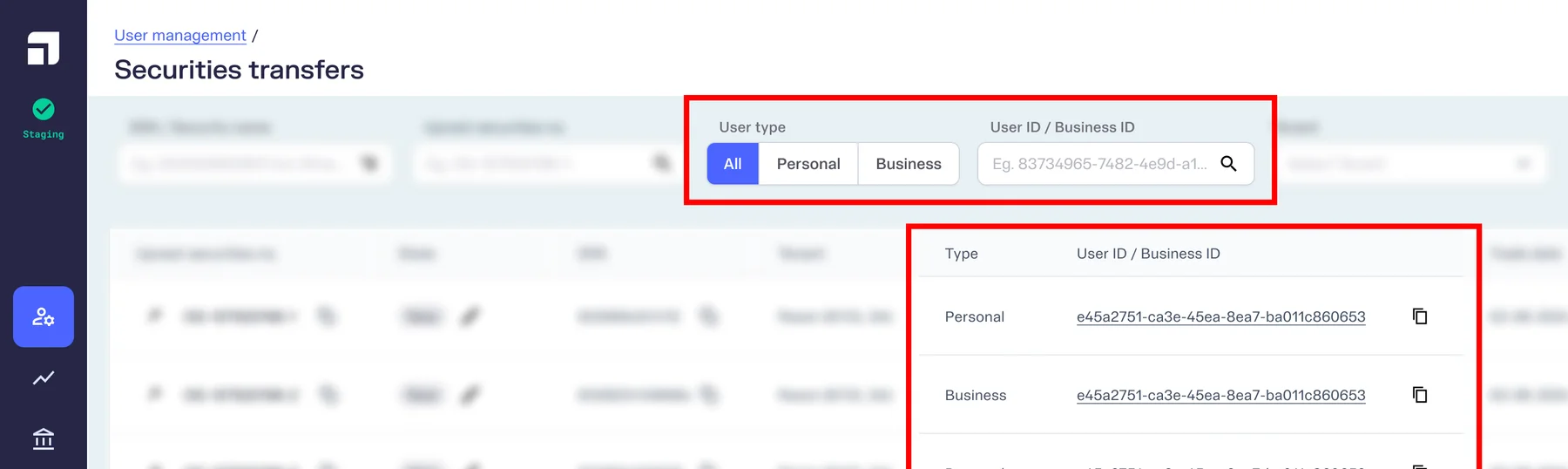
Ops can filter the user type, with additional column - Select entity first, for modules that depend heavily on the user type
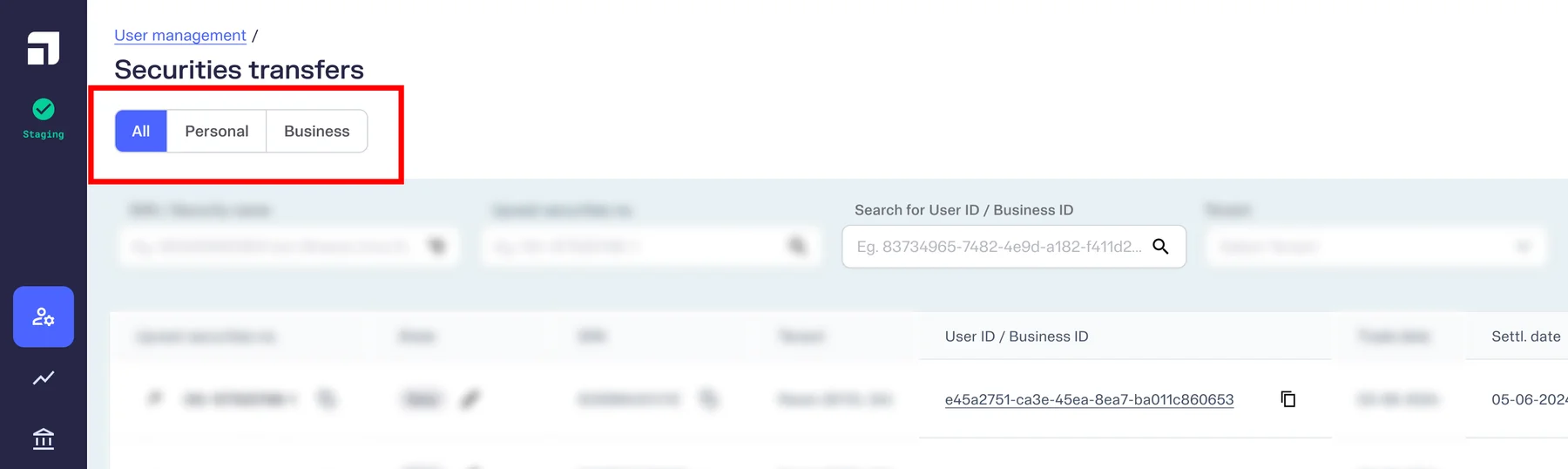
Toggle for user types before adding filters


Outcomes / Learnings
After the launch of the Universal Search overlay, although Ops weren't entirely thrilled about the tenant selector being retained, which couldn't be removed due to the rigid backend design, they appreciated the time they were able to save in reaching the entity page even when they din't know which ID they copied from the third-party banking infra provider.
Ops mentioned this was particularly valuable because we created an additional path (for unknown IDs), while retaining the old infrastructure (for known IDs).
Next project
Improving operations workflow in the back-office
Exploration to make Workflow Management structured & seamless
B2BBack-OfficeDashboardWeb (Desktop)
Read more